How to Play Against the Hardest Bots in CS2: Expert, Elite & Bot Difficulty Guide

Table of Contents

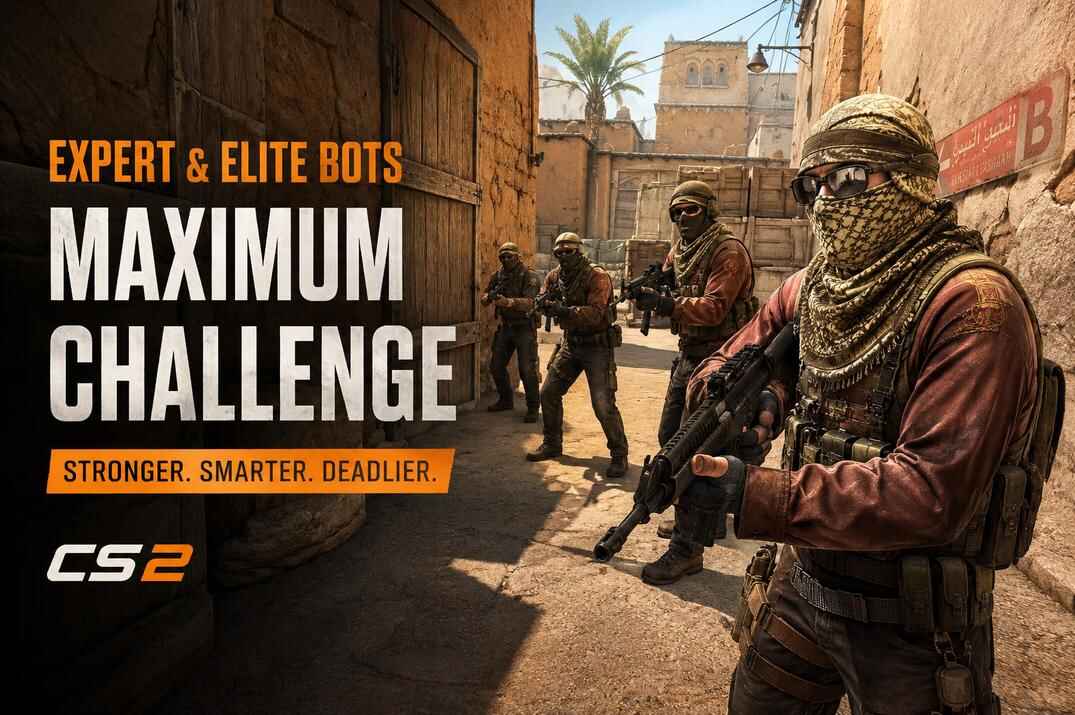
If you want the hardest bots in Counter-Strike 2, bot_difficulty 3 is only part of the setup. It gives you Expert bots, but it is not the strongest bot template in the game. The real maximum challenge comes from Elite bots, uneven teams, disabled team balance, and a CS2 bot config that is loaded after the map starts.

This guide explains how CS2 bot difficulty works, why Elite is not a valid difficulty argument for bot_add, how to add Elite bots by name, and how to create a harder local game where you play against stronger and more numerous bots.

What Is Bot Difficulty in CS2?

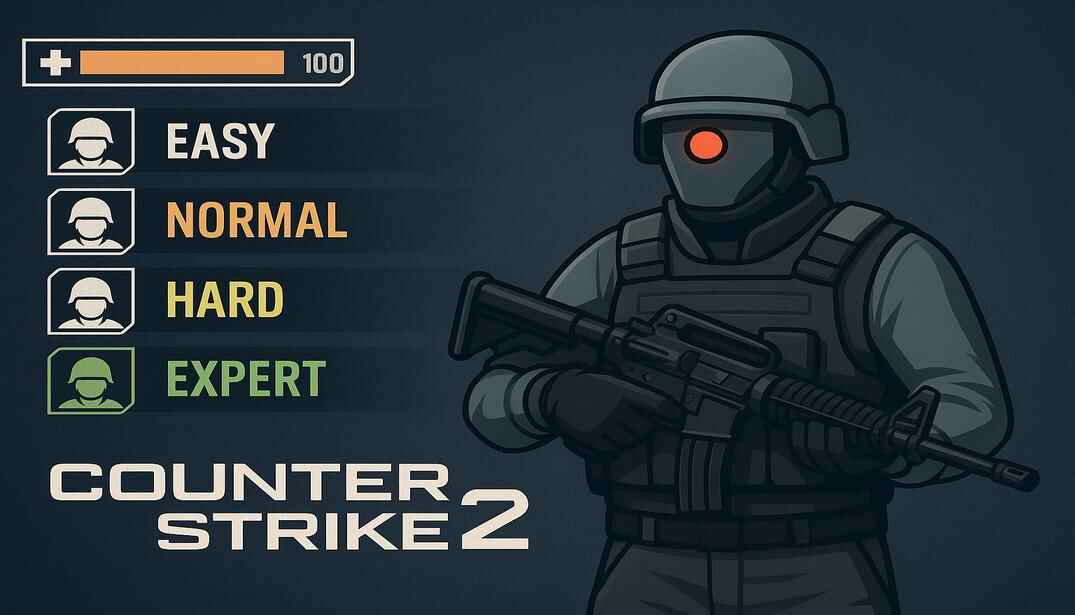
Stylized Counter-Strike 2 bot in tactical gear with an M4 rifle, next to a UI panel showing bot difficulty levels from Easy to Expert

Bot difficulty in CS2 controls how strong bots are during a local game. It affects aim, reaction time, aggression, movement, and overall bot behavior.

The basic difficulty command is bot_difficulty, with values from 0 to 3:

  • bot_difficulty 0 - Easy bots. Barely shoot back and slow.
  • bot_difficulty 1 - Normal bots. Basic aim and minimal tactics.
  • bot_difficulty 2 - Hard bots. Decent aim and reacts faster.
  • bot_difficulty 3 - Expert bots. Fast reaction and better aim.

However, this is only the basic layer. CS2 also uses bot templates, and the strongest bots are not created with bot_difficulty 3 alone. Expert bots are strong, but Elite bots are stronger and must be added by name.

Why bot_difficulty 3 Is Not the Real Maximum

The command bot_difficulty with value 3 sets the standard bot level to Expert. It is the highest value for the basic bot difficulty command, but it is not the strongest bot setup CS2 can create. CS2 has a stronger bot template called Elite, and such bots cannot be added with regular difficulty commands like bot_add expert.

Each difficulty value has two templates:

  • bot_difficulty 0 -> Easy / Fair
  • bot_difficulty 1 -> Normal / Tough
  • bot_difficulty 2 -> Hard / Very Hard
  • bot_difficulty 3 -> Expert / Elite

When you add bots by difficulty command, CS2 randomly picks a template from that difficulty group, except for bot_difficulty 3. For example, bot_add easy can add either an Easy or Fair bot template, bot_add normal can add Normal or Tough, and bot_add hard can add Hard or Very Hard. With bot_add expert, the game adds only Expert bots, not Elite bots template.

Elite bots are added only by name, for example: bot_add muhlik.

This means bot_add expert and bot_add muhlik are not the same thing. The first command adds an Expert bot by difficulty template. The second command adds Muhlik, a named Elite bot with stronger template values.

CS2 Bot Difficulty Commands

After you understand the basic bot_difficulty values, the better method is to add bots directly by difficulty template. This is more useful when you want a specific bot level during an already loaded game.

Basic Bot Difficulty Commands

Use these commands to add bots by difficulty template:

  • bot_add easy
  • bot_add normal
  • bot_add hard
  • bot_add expert

You can also add them to a specific team:

  • bot_add_t expert
  • bot_add_ct expert

For the hardest normal bot setup, use expert. For the real maximum, use Elite bot names instead of bot_add expert.

CS2 Auto Difficulty Commands

CS2 also has automatic difficulty commands:

  • bot_autodifficulty_threshold_low - sets the lower performance threshold for automatic bot difficulty changes.
  • bot_autodifficulty_threshold_high - sets the upper performance threshold for automatic bot difficulty changes.

These commands control the lower and upper performance thresholds for automatic bot difficulty adjustment during the game.

For a harder setup, use:

  • bot_difficulty 3
  • bot_autodifficulty_threshold_low -20
  • bot_autodifficulty_threshold_high 20

Or you can completely disable automatic difficulty adjustment:

  • sv_auto_adjust_bot_difficulty 0

How CS2 Auto Bot Difficulty Works

CS2 uses the Human Contribution Score to adjust bot difficulty automatically. This score is based on factors such as kills, damage, and wins against bots. If automatic adjustment is enabled, CS2 compares this score with the bot_autodifficulty_threshold_low and bot_autodifficulty_threshold_high values, then raises or lowers bot difficulty during the game.

For example, if bot_autodifficulty_threshold_high is set to 5, and your average round result is around +8 against bots, the high threshold is exceeded (+8 > +5). In that case, CS2 increases bot difficulty, affecting things like accuracy, reaction time, aggression, and overall behavior.

If you want bots to keep their selected level, set the auto difficulty thresholds to their maximum range, -20 and 20, or better, disable automatic adjustment completely: sv_auto_adjust_bot_difficulty 0. With auto adjustment disabled, added bots keep their selected difficulty level regardless of the game results.

Elite Bots and Their Names in CS2

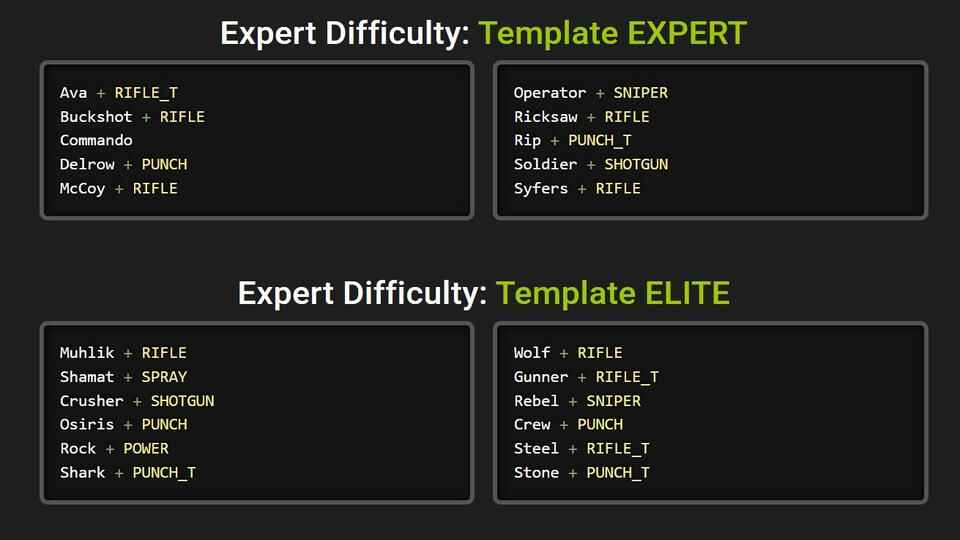
A categorized list of Counter-Strike 2 bot templates for Expert and Elite difficulties. Names of bot characters are paired with their weapon preferences such as RIFLE, SNIPER, PUNCH, and SHOTGUN
CS2 Expert and Elite bot templates showing unique bot names and their corresponding weapon roles, split into two difficulty tiers: Template EXPERT and Template ELITE

Expert and Elite bots are not on the same level. Expert is the strongest bot level you can spawn with a normal difficulty command or by name. Elite is stronger, but Elite bots can be spawned only by name. CS2 adds a few of these bots automatically in Competitive training mode only.

Expert vs Elite Bots in CS2

Template Skill Rank Aggression Reaction Time Attack Delay Cost Difficulty Voice Pitch Aim Focus Initial Aim Focus Decay Aim Focus Offset Scale Aim Focus Interval
EXPERT 90 1600 80 0.20 - 4 EXPERT 88 2 0.2 0.15 0.20
ELITE 100 1800 95 0.05 - 4 EXPERT 85 0.5 0.1 0.05 0.05

As you can see in the table, Elite bots use stronger template values. They have higher skill, higher aggression, faster reaction time, and stronger overall behavior. This is why Elite bots can feel unfair in a local game, especially when they hear your steps and pre-fire through doors, walls, or common angles.

Elite Bot Names in CS2

As mentioned earlier, you cannot add an Elite bot with bot_add elite, because elite is not a valid difficulty argument for bot_add. Elite bots can be added only by their specific names. For example: bot_add muhlik.

This command spawn Muhlik, a named Elite bot. The same logic applies to other Elite bot names.

Elite Bot Name Template Weapon Template
MuhlikRIFLE
ShamatSPRAY
CrusherSHOTGUN
OsirisPUNCH
RockPOWER
SharkPUNCH_T
WolfRIFLE
GunnerRIFLE_T
RebelSNIPER
CrewPUNCH
SteelRIFLE_T
StonePUNCH_T

Every Elite bot also has a pre-assigned weapon template. These templates determine which weapons the bot prefers to buy. This does not mean the bot is permanently locked to one weapon type. It means the bot has a preferred weapon group and will try to buy from that group when money and game rules allow it.

Template Weapon Preference 1 Weapon Preference 2 Weapon Preference 3 Weapon Preference 4 Weapon Preference 5 Weapon Preference 6 Weapon Preference 7
Rifle m4a1 ak47 famas galilar mp7
Punch aug sg556 famas galilar mp7
Sniper awp scar20 g3sg1 ssg08 famas galilar mp7
Power m249 xm1014 nova famas galilar mp7
Shotgun xm1014 nova famas galilar mp7
Spray p90 mp9 mac10 mp7

For example, a bot with a Rifle template will usually try to buy rifles first, such as AK-47, M4A1-S, M4A4, Famas, Galil AR, or MP7 depending on side, money, and availability. A bot with a Sniper template will prioritize sniper weapons such as AWP, SSG 08, Scar-20, or G3SG1.

Important limit: you cannot add several bots with the same name to one team. For example, you cannot place two or more Muhlik bots on the same side. However, one Muhlik on each team is allowed.

Commands Needed for a Harder Bot Game

A harder bot game is not created with one command. You need three things: disabled team balance, more bots on the enemy side, and stronger bot templates.

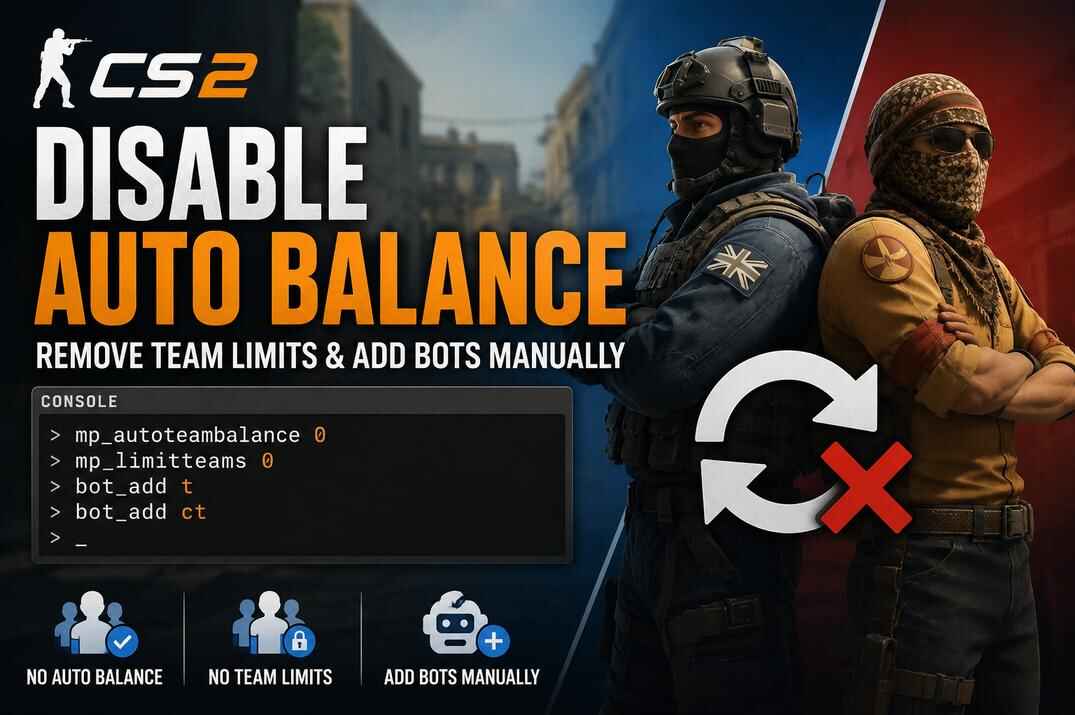
Disable Team Balance

First, remove team balance limits. This allows you to create uneven games like 1 vs 5, 5 vs 10, or any other setup you want.

  • mp_autoteambalance 0 - stops the game from moving players or bots between teams.
  • mp_limitteams 0 - removes the limit on team size difference.

Add More Bots Against You

After team limits are disabled, add more bots to the enemy side. For example, if you play as CT, add bots to the T side:

bot_add_t expert
bot_add_t expert
bot_add_t expert
...

If you play as T, add bots to the CT side:

bot_add_t expert
bot_add_ct expert
bot_add_ct expert
...

Add Elite Bots

To spawn the strongest Elite bot template, use their names:

bot_add_t muhlik
bot_add_t shark
bot_add_t crusher
...
or CT
bot_add_ct muhlik
bot_add_ct shark
bot_add_ct crusher
...
or random
bot_add muhlik
bot_add shark
bot_add crusher
...

Example Elite Bot Config for CS2

This config creates a harder local game where you play against a stronger enemy team. It disables team balance, removes existing bots, adds a few weak bots to your side, and fills the enemy side with Expert and Elite bots.

Run this config only after the map has already loaded.

You can also use my Config Generator to create a custom bot config, or check the related guides for more details about CS2 configs, server settings, and useful server commands.

// Server setup
mp_buytime 60                 // Buy time at the start of the round
mp_buy_anywhere 0             // Buying is allowed only inside the buy zone
mp_freezetime 2               // Short freeze time before the round starts
mp_friendlyfire 0             // Friendly fire disabled
mp_startmoney 800             // Starting money
mp_maxmoney 15000             // Maximum money limit
mp_maxrounds 20               // Maximum number of rounds
mp_roundtime 1.6              // Round time in minutes
mp_roundtime_hostage 2        // Round time for hostage maps
mp_roundtime_defuse 2.25      // Round time for bomb defuse maps
mp_autoteambalance 0          // Disables automatic team balance
mp_limitteams 0               // Allows uneven teams, for example 5 vs 10

// Bot difficulty setup
bot_difficulty 3
bot_autodifficulty_threshold_low -20
bot_autodifficulty_threshold_high 20

//Remove existing bots
bot_kick

// Add CT bots to your side
bot_add_ct easy
bot_add_ct easy
bot_add_ct easy
bot_add_ct easy

// Add strong T-side bots
bot_add_t expert
bot_add_t expert
bot_add_t expert
bot_add_t muhlik
bot_add_t shark
bot_add_t crusher
bot_add_t wolf
bot_add_t steel
bot_add_t osiris
bot_add_t gunther

//Confirmation
echo The T-bots config has been loaded

This setup creates a 5 vs 10 style game if you join the CT side. Your team gets four Easy CT bots, while the enemy side gets a mix of Expert and named Elite bots. You can replace the Elite names or move the setup to the CT side if you prefer playing as T.

How to Use the CS2 Bot Config

  1. Create one or two config files: bot_t.cfg, bot_ct.cfg, or both.
  2. Place the file in your CS2 config folder: ..\steamapps\common\Counter-Strike Global Offensive\game\csgo\cfg\.
  3. Start CS2.
  4. Load a map from the console with map map_name, or start a practice-friendly game mode such as Casual or Competitive.
  5. Join the side you want to play on, then run the needed config from the console: exec bot_t or exec bot_ct.

Conclusion

The console command bot_difficulty 3 is not the end of bot difficulty in CS2. It gives you Expert bots, but the hardest local bot game comes from a stronger setup: Elite bots added by name, team balance disabled, team limits removed, and more enemies placed against you.

Most players stop at bot_add expert, but CS2 allows much more than that. You can create a harder game by mixing Expert bots with named Elite bots and building uneven teams like 5 vs 10. This setup gives you stronger opponents and more pressure.

And yes, you may still end up blaming them for cheating. Elite bots can punish you through walls and doors the moment they hear your footsteps.

Hardest Bots in CS2 FAQ

A glowing 'FAQ' displayed on a futuristic holographic panel, surrounded by floating question marks and digital circuitry within a cosmic, sci-fi environment
What is the hardest bot difficulty in CS2?

The hardest normal difficulty is Expert. You can add it with bot_add expert, bot_add_t expert, or bot_add_ct expert. The real maximum is Elite, but Elite bots are added only by name.

Does bot_add elite work in CS2?

No. bot_add elite command does not exist. To spawn an Elite bot, use a bot name, for example, bot_add muhlik.

How do I make bots harder in CS2?

Use Expert bots, add Elite bots by name, disable team balance with mp_autoteambalance 0, remove team limits with mp_limitteams 0, and add more bots to the enemy side.

How do I remove bots in CS2?

Use bot_kick to remove all bots. You can also kick bots by side, difficulty template, or name, for example bot_kick t, bot_kick expert, or bot_kick muhlik.

Can I play 1 vs 5 or 5 vs 10 against bots?

Yes. Use mp_autoteambalance 0 and mp_limitteams 0 commands, then add bots manually with bot_add_t or bot_add_ct.

When should I run the Elite bot config?

Run it after the map is already loaded. Load the map first, then execute the config with exec commands.

Continue Reading

Leave a Reply

Your email address will not be published. Required fields are marked *