How to Install ReGameDLL, ReAPI, ReVoice and ReSemiclip on CS 1.6
The game library, the extended API, voice between Steam and non-Steam, and walking through teammates
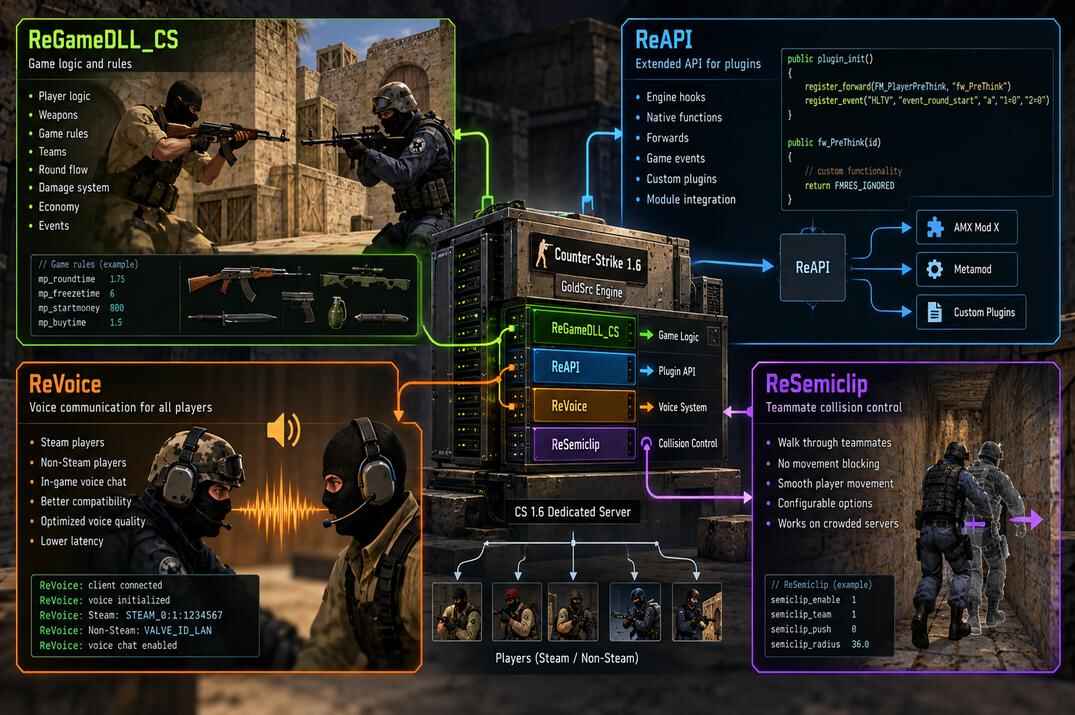
With ReHLDS, Metamod-R and AMX Mod X in place the server runs, but the game logic is still Valve's original library and plugins only see what plain AMX Mod X gives them. The four modules here change that: ReGameDLL_CS replaces the game library, ReAPI opens the engine and the game to plugins, ReVoice makes voice chat work between Steam and non-Steam clients, ReSemiclip lets players pass through each other.
Part of the CS 1.6 server cluster. It assumes the server from the base guide with ReHLDS and Metamod-R and AMX Mod X already installed. Paths assume /home/cs16/cs16srv/cstrike/, files go up through WinSCP.
ReGameDLL_CS: the CS 1.6 Game Library
ReGameDLL_CS is a reworked version of the original Counter-Strike 1.6 game library, the one that handles the game logic, the mp_* cvars and part of the sv_* ones. It improves server stability, fixes bugs and adds new settings and options for plugins and modifications. Most modern ReAPI plugins expect it.
Where to Get It
- ReGameDLL_CS - repository
- ReGameDLL_CS - latest release, this is what you download
Installing ReGameDLL_CS
- Stop the server, download the latest release and unpack it.
- Copy the contents of the archive's cstrike/ folder into the server's cstrike/ folder, confirming the file replacement. The new dlls/cs.so replaces Valve's.

A file named game.cfg appears in cstrike/. This is the game server's primary configuration: the cvars that affect gameplay, game rules and server behaviour, each with a description, so you can set them up to your liking.
Be careful with duplicates: a command repeated in server.cfg overrides the ReGameDLL_CS setting, because game.cfg is loaded earlier. The load order is game.cfg → amxx.cfg → server.cfg → rehlds.cfg.
Start the server and type game version in its console:
ReGameDLL version: 5.30.0.814-dev
Build date: 13:48:16 May 18 2026
Build from: https://github.com/rehlds/ReGameDLL_CS/commit/781a68a

game version to confirm that ReGameDLL is installed and active
ReAPI: Extended API for AMX Mod X Plugins
ReAPI is a module for AMX Mod X that provides an extended API for interacting with the server. It works together with ReHLDS and ReGameDLL_CS, letting plugins use functions, hooks and events that plain AMX Mod X does not have. A large share of the plugins written in the last ten years need it.
Where to Get It
- ReAPI - repository
- ReAPI - latest release, this is what you download
Installing ReAPI
- Copy the archive's addons/ folder into the server's cstrike/ folder, merging it with the existing one. The module lands in addons/amxmodx/modules/ , the includes for compiling plugins in addons/amxmodx/scripting/include/ .
- Open cstrike/addons/amxmodx/configs/modules.ini and add
reapion a new line. - Optional: delete addons/amxmodx/modules/reapi_amxx.dll, it is the Windows build.


reapi to modules.ini to load the ReAPI module
reapi
Restart the server and type amxx modules in its console:
ReAPI 5.29.0.358 Asmodai & s1lent running

amxx modules and confirm that ReAPI has the running status
Note that ReAPI is an AMX Mod X module, so it goes into amxmodx/configs/modules.ini. The other three in this guide are Metamod modules and go into metamod/plugins.ini.
ReVoice: Voice Chat Between Steam and non-Steam
ReVoice is a module for Metamod-R that provides voice communication between Steam and non-Steam clients. Without it the two groups cannot hear each other. It needs the ReUnion API to work, so if you do not run ReUnion and only accept Steam clients, you do not need ReVoice either - skip to ReSemiclip. ReUnion itself is in its own guide.
Where to Get It
- ReVoice - repository
- ReVoice - latest release, this is what you download
Installing ReVoice
- In the server's cstrike/addons/ create a revoice/ folder.
- Upload revoice_mm_i386.so and revoice.cfg from the archive into it.
- Open cstrike/addons/metamod/plugins.ini and add ReVoice right after ReUnion : it needs the ReUnion API, so ReUnion must load first.

cstrike/addons/revoice/

linux addons/revoice/revoice_mm_i386.so
Save, restart the server and type meta list:
Revoice RUN - revoice_mm_i386.so v0.1.0.34 ini Start Never

meta list and confirm that ReVoice has the RUN status
Your version number may differ. The settings live in cstrike/addons/revoice/revoice.cfg, the defaults are fine to start with.
ReSemiclip: Passing Through Each Other
ReSemiclip is a module for Metamod-R that lets players pass through each other, so nobody gets stuck in a doorway behind a teammate at round start. Which players pass through whom - teammates only, everyone, nobody while shooting - is set in its config.
Where to Get It
- ReSemiclip - repository
- ReSemiclip - latest release, this is what you download
Installing ReSemiclip
- Copy the archive's addons/ folder into the server's cstrike/ folder.
- Open cstrike/addons/metamod/plugins.ini and add ReSemiclip at the end of the list.
- Optional: delete addons/resemiclip/resemiclip_mm.dll, it is the Windows build.
linux addons/resemiclip/resemiclip_mm_i386.so

Save, restart the server and type meta list:
ReSemiclip RUN resemiclip_mm_i386.so v2.4.3 ini Chlvl ANY

meta list and confirm that ReSemiclip has the RUN status
The settings are in cstrike/addons/resemiclip/config.ini.
What's Next
The stack is complete for a Steam-only server. Two things are left, both optional and both common: letting non-Steam clients in, and getting maps and models to players faster than the game port can.
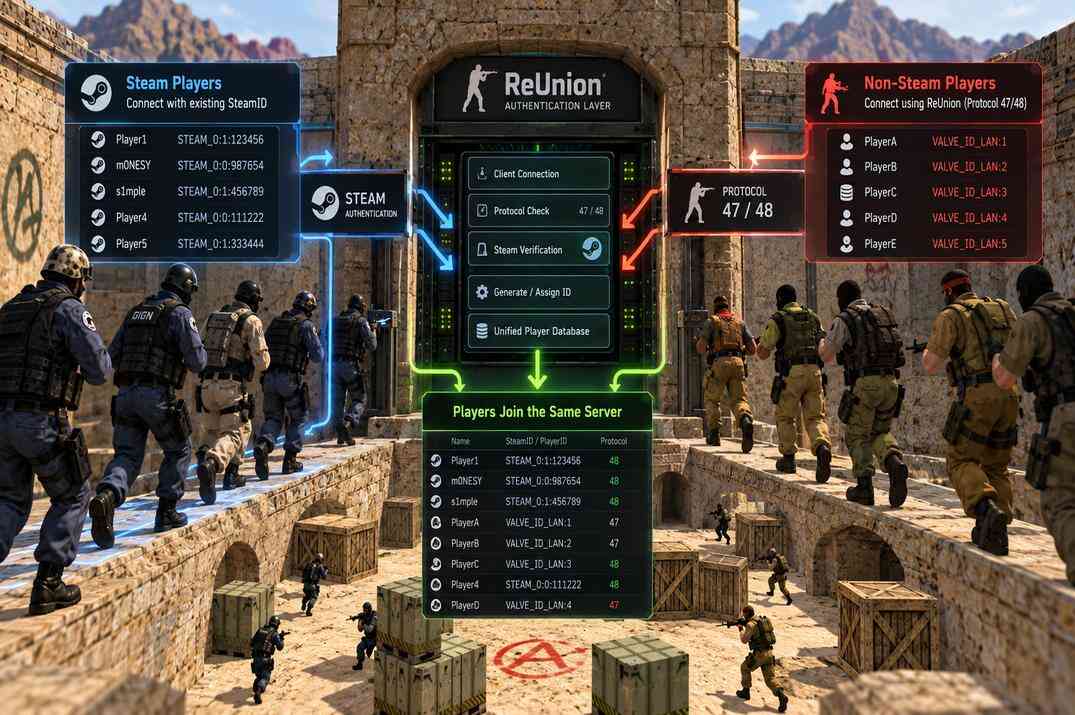
ReUnion: non-Steam Clients
Letting non-Steam clients in, how they get a SteamID, and which authentication modes make sense.
open →
Metamod-R, AMX Mod X and Plugins
The loader and the plugin platform. Installing a plugin, why you compile .sma yourself, and what the compiler errors mean.
open →
CS 1.6 Dedicated Server on Linux
VPS, SSH, SteamCMD with steam_legacy, first run and screen.
open →