CS 1.6 Sound WallHack: Louder Footsteps and Quieter Gunfire
Rewriting the game's own .wav files so you hear the enemy before you see him
In Counter-Strike 1.6, like in any online shooter, sound is half of what you know about the enemy. It is the player's second pair of eyes - it tells you not just what the enemy is doing but roughly where he is. Footsteps and jumps give away a position long before you actually see anyone.
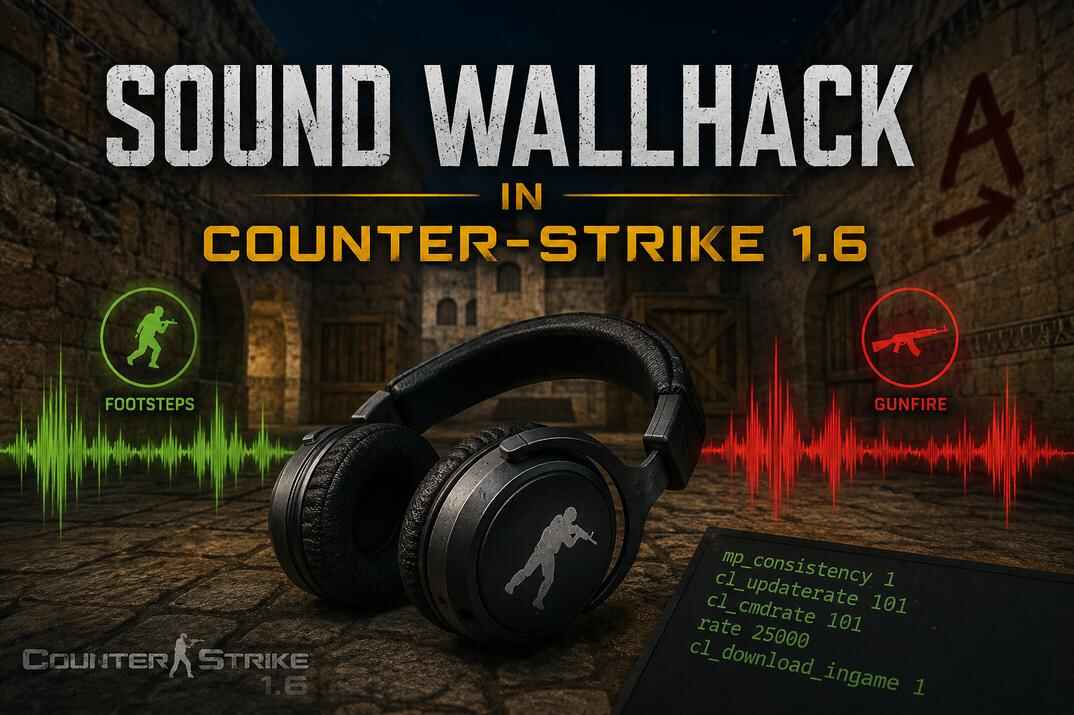
This is a small trick with the sound files that gives you a real edge if you use it right. The idea is to make enemy footsteps louder and gunfire a bit quieter, so one doesn't drown out the other. No third-party software - I just rewrite the game's own sound files. I call it Sound WH: you hear the enemy far away and clearly, even with no line of sight.
What Sound WallHack Is and Why It Works
Half the fights in CS are decided before the first shot - by whoever heard the other guy's steps first and took position. The engine figures out where a sound comes from and how far away it is, and plays footsteps quieter the further they are. The problem is that at normal volume distant steps are almost impossible to hear, especially when someone's shooting right next to you.
Why Just Turning Up the Volume Does Not Work
The first thing that comes to mind is cranking up your speakers, but that raises everything: gunfire, explosions, voices. Enemy steps get louder, sure, but the gun going off next to your ear turns into a wall of noise, and those same steps drown in it along with every other sound effect. Volume in CS 1.6 isn't a scalpel, it's a loud tin bucket - so you have to raise one thing and lower another separately.
The Trick: Reworking CS 1.6 Sound Files
The volume of a specific sound in CS isn't stored in the settings, it's baked into the .wav file itself, and its power is measured in decibels. So "footstep volume" is a property of the footstep file, not a slider in the menu. That means you can take the footstep files and push their volume up, and pull the gunfire files down. The game loads the reworked sounds and plays them at the new volume. That's why all my movement sounds (running, jumping) are boosted by 10 dB over stock, and gunshots are cut by 5 dB.
This way I hear players from far away, which helps my tactical play a lot - that's my Sound WallHack. Friend or enemy I sort out through the radar, and the general situation in the round tells me "who is this" and "where is this". The +10 / -5 is just my personal setup and a good starting point. Below there are presets with other values so you can pick what feels right.
CS 1.6 Sound Files Location: Steam and Non-Steam
All Counter-Strike 1.6 sounds sit in the sound\ folder of the game. Two folders matter here: player\, which we turn up, and weapons\, which we turn down a bit.
..\steamapps\common\Half-Life\cstrike\sound\player\ ..\steamapps\common\Half-Life\cstrike\sound\weapons\
..\folder with hl.exe\cstrike\sound\player\ ..\folder with hl.exe\cstrike\sound\weapons\
Back Up the Original Sound Files First
Before you change anything - copy both folders somewhere safe. Just player and weapons whole, into something like sound_backup. If something goes wrong or you want it back the way it was, you drop the originals back in. Two minutes that can save you a lot of headache.
How to Replace Sound Files in CS 1.6
Here you can listen to footsteps and gunfire at different volume levels and download six ready-made presets. Installing is plain copying: go to ..\cstrike\sound\player\ and ..\cstrike\sound\weapons\ and replace the game's .wav files with yours, nothing else needed.
Footsteps Preview
Compare original footsteps with boosted player sounds.
Gunfire Preview
Compare original weapon sounds with reduced gunfire volume.
Player Sound
Footsteps and player sounds with increased volume.
Download +5dB Download +10dB Download +15dBWeapons Sound
Gunfire and weapon sounds with reduced volume.
Download -5dB Download -10dB Download -15dBThe archives hold the reworked player and weapons sound files:
- Pick the variant(s) you want, download and unzip.
- Copy the files from the player and weapons folders into ..\cstrike\sound\player\ and ..\cstrike\sound\weapons\ , replacing the files.
- Launch the game and check.
How to Tune CS 1.6 Sound Files Yourself
There are plenty of online .wav services that change volume in dB or % - a wav converter, volume boost, change volume service and so on. You upload the file, set the value, convert, download it back and drop it in place of the original. One annoyance is that you work one file at a time - but if you only need to change something specific, that's plenty. For example, 70% of servers run only dust2, so for movement it's enough to change just running on dirt: pl_dirt1.wav, pl_dirt2.wav, pl_dirt3.wav and pl_dirt4.wav.
Another annoyance is that these services either don't show the output format at all or quietly change it, and CS 1.6 needs its own:
Plain uncompressed WAV. Anything else the engine won't play.
Not 24, not 32-bit float, whatever the converter offers by default.
Stereo breaks direction detection: the engine positions a mono source in space itself.
Keep the original sample rate. At 44100 the sound "floats" in speed.
FFmpeg or Audacity for CS 1.6 WAV Files
Audacity is a graphical audio editor. You can even build a Macro there to apply a change to a batch of files, up to 500 at a time. FFmpeg is a command-line tool (no GUI) for processing and converting audio and video. For me it's the cleanest and fastest tool for this kind of job, where you need to raise or lower the volume of all WAV files by the same amount.
How to Change WAV Volume with FFmpeg
The program doesn't need installing, and since it's a command-line tool it has to be launched from the command line with the right options. The example assumes CS is on drive D in a \games\ folder and FFmpeg sits on drive E in \soft\.
- Open the command line, CMD.
- Go to the folder where the sounds are.
- Create a folder for the new files, for example output.
- Run ffmpeg over every .wav in the folder.
cd /d d:\games\cs 1.6\cstrike\sound\weapons mkdir output for %f in (*.wav) do "e:\soft\ffmpeg\bin\ffmpeg.exe" -y -i "%f" -af "volume=5dB" "output\%~nf.wav"
Read the last line like this: in the current folder, for every .wav file, run ffmpeg and write a copy with the volume raised by 5 dB into output\ under the original name. Then copy the files from output\ over the originals.
- FFmpeg takes fractional values:
volume=5.5dB,volume=3.2dB. - To lower, put a minus in front:
volume=-5dB,volume=-3.2dB. - Converting a whole folder this way keeps the format: ffmpeg writes PCM 16-bit mono at the source sample rate unless you tell it otherwise.
Is This Cheating, and Will Servers Catch It?
A cheat as such is a separate program that interacts with the process memory - it draws enemies through walls (WallHack), moves your aim (Aim Bot) and so on. It's intercepting and faking the work of the GoldSrc engine itself. I don't do anything like that here - no injection, no third-party programs running during the game. I just listen to my own game more carefully.
mp_consistency and CS 1.6 File Checks
mp_consistency 0/1 is a server command that checks some game files against a reference, on by default. If there's a problem, the console won't let you on the server and tells you the details, something like Server is enforcing file consistency for models/... There's no exact description of how this command works or which files it covers; in my experience for models it's a light size/bounds check, and sound files are either not checked or the check is very limited and doesn't stop most sound modifications. In practice player models almost always go through, be it a little chicken or some cartoon or movie character, even broken weapon models.
Some guides talk about an sv_consistency command in CS 1.6. That's wrong - that command showed up later in CS:GO on the Source engine.
ReChecker and Client File Verification
ReChecker is a Metamod plugin for CS 1.6 that checks client files by file name, size, MD5 hash and more. A useful thing as a basic protection tool, but not used often, since it needs its databases updated, and for non-Steam there are different builds with different files. If you don't keep it updated it'll trip on normal players, and the more files you check the higher the chance of a false positive. The plugin isn't heavy, but on a lot of high-load servers they either don't run it at all or stick to a small set of checks. Even where you do meet it, admins don't configure checks on sound files, let alone by MD5 - usually they check DLLs and some models.
Common Problems with CS 1.6 Custom Sounds
Almost always the file format. Check that the .wav is saved as PCM 16-bit, mono, with the original sample rate. If the converter changed one of those - save it again correctly or take the file from a ready-made set.
Rare, but if a specific server does check sounds, it won't let you in. Put the originals back from your backup for that server. On the vast majority of servers there's no problem.
You replaced only the player folder. Lower the weapons folder too, even -5 dB is enough: the point is the gap between the two, not the absolute volume.
On Steam: right-click the game → Properties → Installed Files → Verify integrity of game files. The stock .wav files come back. Non-Steam: take them from a clean copy of the build.
Conclusion
Sound WH isn't a cheat in the usual sense, it's working with sound the smart way: footsteps louder, your own gunfire quieter, and the enemy starts "lighting up" by sound before he shows up in your crosshair. The ready-made sets give you that right away, and if you want, you tweak the dB to taste. The main thing - make a backup and keep the right .wav format.
CS 1.6 Sound WallHack FAQ
Is CS 1.6 Sound WallHack a cheat?
Not in the usual sense. It does not inject anything into the game, does not read memory, does not show enemies through walls, and does not move your aim. It only changes how loud certain local sound files are.
What is the best CS 1.6 sound setup for louder footsteps?
Player Sounds +10 dB and Weapon Sounds -5 dB. This makes footsteps, jumps and landings easier to hear without making gunfire too quiet or unnatural. If +10 dB feels too strong, use +5 dB.
What WAV format does CS 1.6 need?
PCM WAV, 16-bit, mono, 22050 Hz sample rate. Some online converters silently change the format, and that causes silence, broken direction or strange playback.
Can I use only louder footsteps without changing weapon sounds?
Yes. Replace only the files in the player folder and leave weapons untouched. Lowering weapon sounds a little helps though, because loud gunfire often hides distant footsteps.
Why not just increase the game volume?
Because game volume raises everything at once: footsteps, gunfire, explosions, radio and other effects. The point of this setup is to boost useful movement sounds while reducing the sounds that cover them.
What should I do if a server kicks me after replacing sounds?
Restore the original sound files from your backup. On the Steam version without a backup, verify the game files through Steam to download the originals again.