CS2 Legal Wallhack Commands - Safe Scripts and Binds
cl_ent_bbox and spec_show_xray, what happened to cl_player_proximity_debug, one-key binds and toggle scripts for wallhack overlays in practice and demos
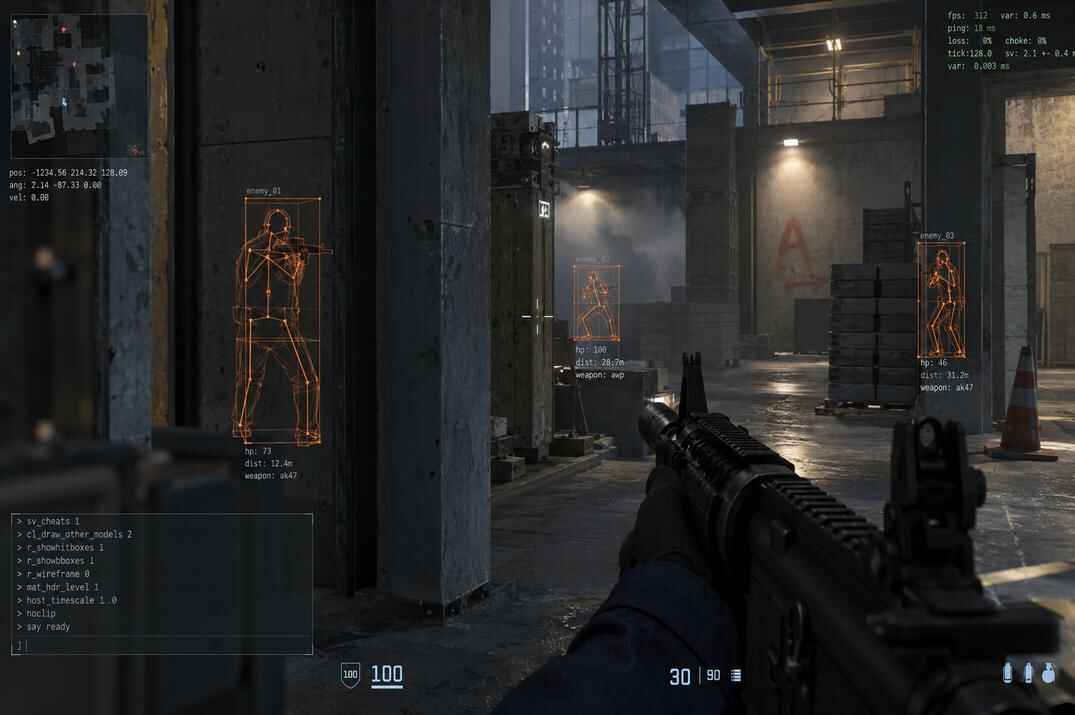
In CS2 "wallhack" sounds like cheating, but Counter-Strike 2 has developer tools built in that show players through walls. They work offline, on your own server with sv_cheats 1 and in demos, never in official matchmaking.
This is the scripting side of the topic: which commands still work, and how to put them on one key with binds and toggle scripts so you don't type them every time. The full breakdown of each command is in my main guide, Legal WallHack in Counter-Strike 2.
What Is a Legal Wallhack in CS2?
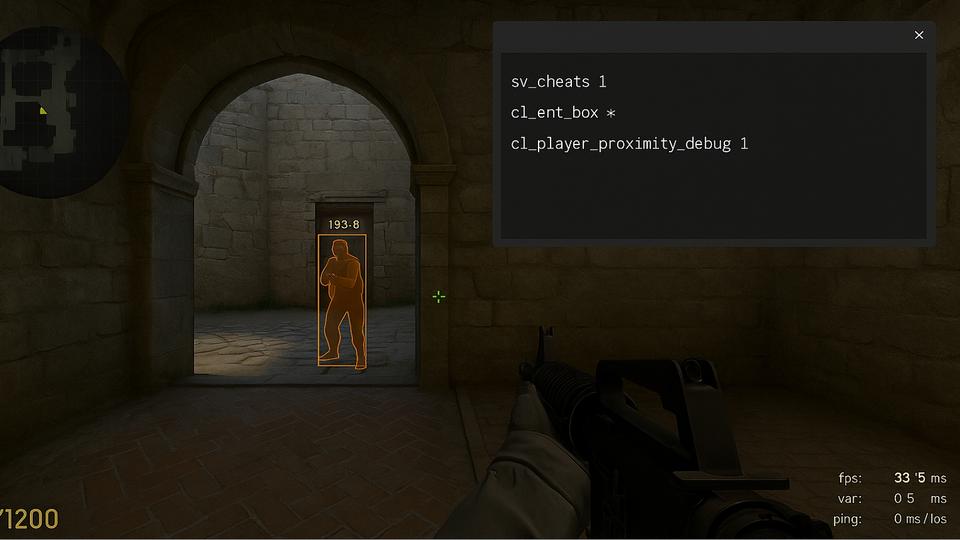
A legal wallhack isn't third-party software. It's developer commands that are part of the game. With sv_cheats 1 in your own lobby or on your own server, they draw overlays that look a lot like a wallhack: boxes around players that stay visible through walls and smokes. In demos you even get an X-ray view without any cheats.
What You Can Use It For
Watch where enemies really stand and move when they crouch, peek or strafe, and set your crosshair there.
See if your smoke really blocks the angle and where the enemy is when your flash pops.
See the whole round through walls: rotations, timings, where they waited for you.
Mappers and modders check collision, visibility and spacing before a map goes live.
It's not about cheating, it's about learning faster. You see things you never see in a normal match, and that knowledge stays with you when you play for real.
Legal Wallhack Commands in CS2
| Command | What it shows | Needs sv_cheats | Status |
|---|---|---|---|
cl_ent_bbox |
Orange boxes around players and objects, through walls | Yes | Works |
spec_show_xray |
Player outlines and names through walls in demos and as a spectator | No | Works, on by default |
cl_player_proximity_debug |
Numbers near players' legs through walls | Removed in April 2026 | |
r_drawothermodels 2 |
Wireframe models from CS:GO | Doesn't exist in CS2 |
cl_ent_bbox: Boxes Through Walls
cl_ent_bbox draws the bounding box of an entity in orange: players, weapons, grenades, props. The box is visible through walls and smokes. Note that it's the movement box of the model, not the exact hitboxes, but for watching where a player is and how he moves it's exactly what you need.
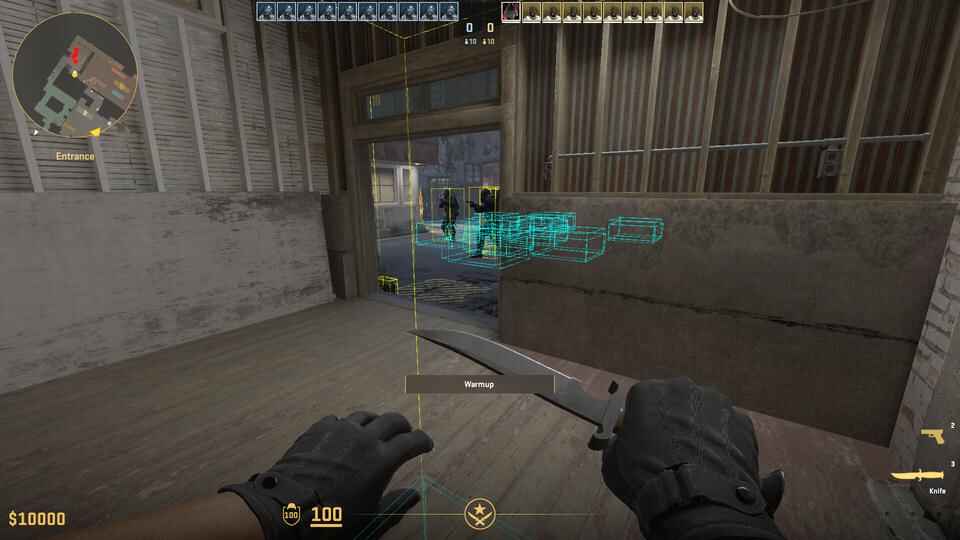
sv_cheats 1 cl_ent_bbox * // boxes on all entities, enter again to remove cl_ent_bbox // box on the entity under your crosshair cl_ent_clear_debug_overlays // remove all boxes
With * every weapon and prop gets a box too, so the screen gets busy. How to box only players by their entity index is in the main legal wallhack guide.
spec_show_xray: X-Ray in Demos
The only wallhack that works without cheats. In a demo or as a spectator you see player outlines and names through walls. It's on by default, and in demos the X key toggles it (by default X is bound to slot12, which is X-Ray in spectator mode).
spec_show_xray 1 // X-ray on (default) spec_show_xray 0 // X-ray off
What Happened to cl_player_proximity_debug
Many guides, this one too in its first version, were built around cl_player_proximity_debug: small numbers near players' legs, visible through walls. Valve removed it in the April 2026 update (build 2000791). The command is gone from the game files, the console doesn't know it, and old binds with it just don't work. Use cl_ent_bbox or demo X-ray instead.
How to Create Quick Wallhack Binds in CS2
Typing commands every time gets old fast. A bind puts a console command on a key. I use keys that are free in CS2 by default, so nothing important gets overwritten. Z, X, C, V, F and G are already taken (radio, X-Ray, radial radio, inspect, drop).
Boxes on and off with two keys:
bind "j" "sv_cheats 1; cl_ent_bbox *" bind "k" "cl_ent_clear_debug_overlays; sv_cheats 0"
Press J to show the boxes, K to clear them and turn cheats off.
X-ray in demos on one key:
bind "l" "toggle spec_show_xray"
toggle switches a setting between 0 and 1 with every press. It works with any 0/1 setting, not only this one.
CS2 Wallhack Toggle Scripts
Two keys work, but one key that turns the overlay on and off is cleaner. That's done with alias: a script that rewrites itself every time you press the key.
Wallhack Box Toggle Script
alias toggle_boxes boxes_on alias boxes_on "sv_cheats 1; cl_ent_bbox *; alias toggle_boxes boxes_off" alias boxes_off "cl_ent_clear_debug_overlays; sv_cheats 0; alias toggle_boxes boxes_on" bind "n" "toggle_boxes"
The first line makes a new command toggle_boxes that points to boxes_on. Press N: cheats go on, boxes appear, and toggle_boxes now points to boxes_off. Press N again: boxes are cleared, cheats go off, and the script is back at the start.
Full Practice Script: mywh.cfg
Everything in one file: the box toggle, a clear key and demo X-ray, with comments.
// Legal wallhack practice script for CS2 // Works only where you are the host (sv_cheats 1) alias toggle_boxes boxes_on alias boxes_on "sv_cheats 1; cl_ent_bbox *; alias toggle_boxes boxes_off" alias boxes_off "cl_ent_clear_debug_overlays; sv_cheats 0; alias toggle_boxes boxes_on" bind "n" "toggle_boxes" // N: boxes on / off bind "k" "cl_ent_clear_debug_overlays" // K: clear all boxes bind "l" "toggle spec_show_xray" // L: X-ray in demos on / off echo "mywh.cfg loaded: N boxes, K clear, L demo X-ray"
If the boxes ever get out of sync with the toggle (for example after a map change), press K to clear them, then N again.
How to Run Wallhack Scripts in CS2
A bind or toggle is only half the job, it also has to get into the game. Four ways:
- Console
- Paste the lines into the developer console. Works right away, good for a quick test.
- Config file
- Save the script as mywh.cfg in
...\game\csgo\cfg\and load it withexec mywhwhen you practice. - Launch options
- Add
+exec mywhto the CS2 launch options in Steam and it runs on every start. - autoexec.cfg
- Add
exec mywhto your autoexec and the binds are always there.
One thing to know: binds you make in the console are saved by the game and stay after a restart, aliases are not. So after a restart the N key points to a toggle_boxes that doesn't exist anymore until you run exec mywh again. That's why keeping the script in a file is the most reliable way. I prefer to load it only when I practice and keep my match config clean.
Step-by-step guides for configs: CS2 config guide, CS2 config location and how to reset all settings if you want your keys back to default.
Conclusion
Legal wallhack commands in CS2 are developer tools for practice, testing and map work. Right now that's cl_ent_bbox with sv_cheats 1 in your own matches and spec_show_xray in demos, cl_player_proximity_debug is gone. Put them on a toggle script, load it when you train, and use it to see how CS2 works under the hood. In official matchmaking none of this runs, and that's how it should be.
CS2 Legal Wallhack Commands FAQ
Do legal wallhack commands work in Competitive or Premier?
No. cl_ent_bbox needs sv_cheats 1, which is locked on official servers. Use it offline, in a private lobby or on your own server. Demo X-ray works in demos and as a spectator.
Can I get banned for these commands?
No. They are part of the game, and in your own lobby with cheats on they are normal developer tools. On official servers they simply don't run.
Does cl_player_proximity_debug still work?
No. Valve removed it in April 2026 (build 2000791). Use cl_ent_bbox or demo X-ray instead.
Does r_drawothermodels 2 work in CS2?
No. It was a CS:GO command and doesn't exist in CS2, the console returns Unknown command.
Is there a wallhack without sv_cheats?
Only in demos and as a spectator: spec_show_xray 1, on by default, toggled with X.
Why does my toggle key do nothing after a restart?
The bind was saved, the alias wasn't. Run exec mywh again, or add it to your autoexec.
What's the difference between a legal wallhack and a cheat?
A cheat is third-party software that gives you an unfair advantage online. Legal wallhack commands are part of CS2, made for testing, training and demos, and they don't work in ranked matches.