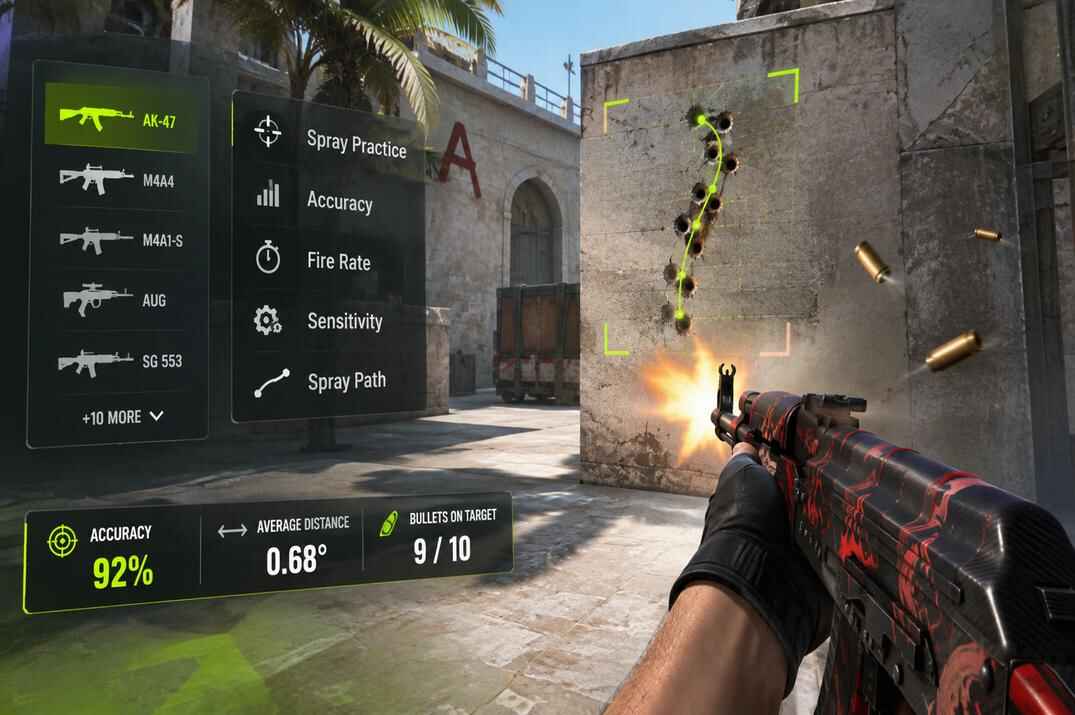
CS2 Recoil Trainer
Practice spray control in the browser: 16 weapons, their real patterns and fire rates
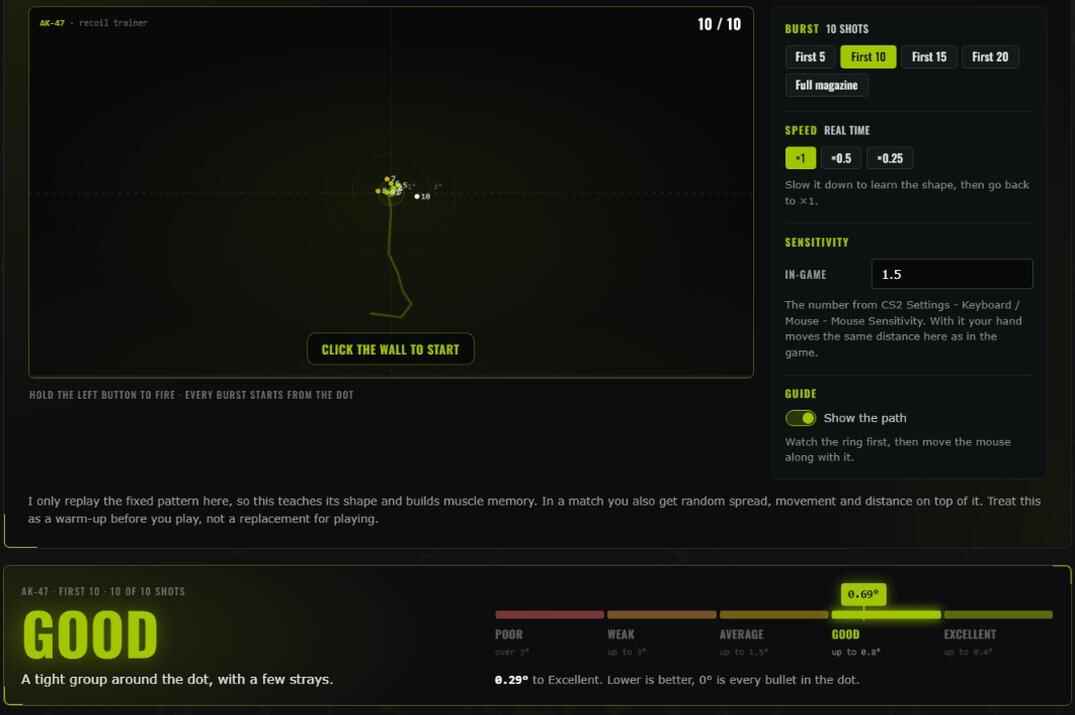
Pick a weapon, click the wall and hold the left mouse button. The gun fires at its real rate and climbs the way it does in Counter-Strike 2. You pull the mouse to keep the bullets on the dot, and a green ring shows where your crosshair has to be at every moment.
After each burst I tell you how it went in one word, how far the bullets landed from the dot, and which shots to fix first. Nothing to install, the game does not have to be running.
The trainer is loading. If it stays like this, it needs JS turned on in your browser.
How to Use the CS2 Recoil Trainer
Watch the ring first, then move with it
- Type your in-game sensitivity on the right. It is the number from CS2 Settings - Keyboard / Mouse - Mouse Sensitivity.
- Pick a weapon and leave the burst on First 10.
- Click the wall. It takes the mouse, Esc or a right click gives it back.
- Hold the left button and do nothing. Watch the green ring run down the line: that is the path your crosshair has to take.
- Fire again and keep the crosshair on the ring. It stays green while you are on it and turns yellow when you fall behind.
- Let go and read the result. Fix the shots it names, then fire again.
Start with the first ten bullets. On the AK-47 that is the part that climbs, and most sprays are over before the sideways part starts. Move to 15, 20 and the full magazine once ten is easy.
- Burst
- How many bullets one burst fires: first 5, 10, 15, 20 or the full magazine. Each length keeps its own best result.
- Speed
- ×0.5 and ×0.25 slow the gun down so you can see where the spray turns. Slowed bursts do not count as a best result.
- Show the path
- The line and the ring. Switch them off when your hand knows the way and check yourself without help.
- The dot
- Every burst starts from it. Between bursts the mouse does nothing, so you never have to aim back.
What the Score Means
One number, five steps
The score is the average distance of your bullets from the dot, in degrees of view, the same degrees the game turns by. Lower is better, 0° is every bullet in one hole. Next to it I show the same thing as a distance on a wall 10 metres away.
| Step | Average distance | At 10 m | What it looks like |
|---|---|---|---|
| Excellent | up to 0.4° | up to 7 cm | Almost every bullet is on the dot |
| Good | up to 0.8° | up to 14 cm | A tight group around the dot, a few strays |
| Average | up to 1.5° | up to 26 cm | The shape is right, the pull is not exact yet |
| Weak | up to 3° | up to 52 cm | The bullets are spread wide |
| Poor | over 3° | over 52 cm | The gun is climbing away from you |
For scale: an AK-47 magazine fired without touching the mouse scores about 9°.
Shot by shot under the score splits the burst into the same groups of bullets as my weapon guides, and says for each one whether you pulled too far, not far enough, or let the gun slide sideways. Fix this first names the earliest group that went wrong. Work on that one, the later groups usually follow.
CS2 Sensitivity and Mouse Input
Why the trainer asks for one number only
The trainer turns mouse movement into an angle the same way CS2 does, from the raw movement of the mouse and your in-game sensitivity. With the right number here, the distance your hand travels for a spray is the distance it travels in the game.
It does not ask for DPI. The mouse already reports its movement in its own DPI, so that number is counted in before it reaches the page.
The page asks the browser for raw mouse input, without Windows pointer acceleration. If your browser cannot give it, a yellow line under the trainer says so, and the movement will feel a little different from the game.
CS2 Weapon Spray Patterns
Every gun that has a spray worth learning
The patterns and fire rates are the ones from my weapon guides, point for point. Each guide shows the spray, the mouse movement that cancels it, and what to do with the gun in a match. The M4A1-S is in the trainer twice, with the silencer and without it. All the other guns are on the CS2 weapons page.
How Accurate Is the CS2 Recoil Trainer?
What it teaches and what it leaves to the game
- The fixed pattern only
- In CS2 a little random spread sits on top of the pattern and grows as you hold the trigger. The trainer leaves it out, so what you see on the wall is your own mistake and nothing else.
- Standing still
- No movement, no crouching, no distance to the target. Those are learned in the game.
- A mouse and a PC
- The page has to take the mouse the way a game does. On a phone or tablet it shows the pattern and nothing more.
- A flat wall
- The wall is drawn at one fixed scale. Your screen in CS2 has its own, so the spray may look bigger or smaller here. The hand movement is what matches.
- Your browser only
- Sensitivity, settings and best results are kept in your browser. Nothing is sent anywhere, and another browser starts from zero.
CS2 Recoil Trainer FAQ
Short answers to the questions people ask most
Is the CS2 Recoil Trainer free?
Yes. No sign-up, no account, nothing to install.
Do I need CS2 running?
No. It is a web page. It does not connect to the game or to Steam and does not change anything on your PC.
What sensitivity do I type in?
The one you play with: CS2 Settings - Keyboard / Mouse - Mouse Sensitivity. DPI is not needed. See Sensitivity.
Is the spray the same as in the game?
The pattern and the fire rate are. The random spread, movement and distance are left out on purpose. See Limits.
What is a good score?
Under 0.8° is Good, under 0.4° is Excellent. A spray fired without moving the mouse is around 9° on the AK-47. See The Score.
Which weapon should I start with?
The one you buy most. For most players that is the AK-47 or the M4, first ten bullets.
How do I get the mouse back?
Press Esc or click the right mouse button.
Does it work on a phone?
No. Spray control is a mouse movement, so the trainer needs a mouse. On a phone the page shows the pattern of the weapon.
More CS2 Tools
Other CS2 tools on this site first, then the ones for CS 1.6 and Steam.
- // live statsCS2 Player CountHow many people have CS2 open right now, checked every 5 minutes, with peaks and charts.CS2open →
- // live statsCS2 Community ServersReal players on CS2 community servers, fakes filtered out: servers, maps, modes and countries.CS2open →
- // generatorCS2 Crosshair GeneratorBuild a crosshair and take it to the game as a share code or console commands.CS2open →
- // generatorCS2 Binds GeneratorPick keys and what they do, get the bind lines ready to paste.CS2open →
- // generatorCS2 Config GeneratorChoose your settings and get an autoexec.cfg you can drop into the game folder.CS2open →
- // inventoryInventory ValueWhat a public CS2 inventory is worth at current prices, and which items make up the number.CS2open →
- // demo parserCS2 SteamID ExtractorDrop a CS2 demo, get every player's SteamID64 with their nickname.CS2open →
- // lookupSteamID LookupAny ID or profile link in, every format out, plus bans, account age, hours and what they play now.CS 1.6 · CS2open →