How to Install Metamod-R and AMX Mod X on a CS 1.6 Server
The loader, the plugin platform, your first plugin, and why you compile .sma files yourself
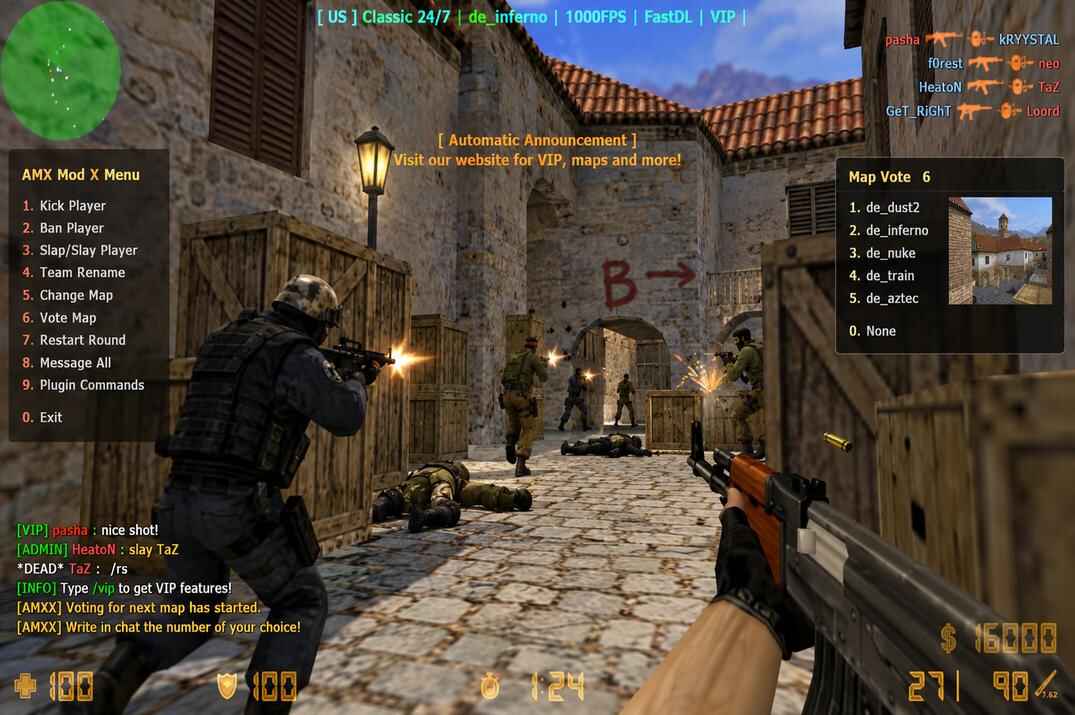
Everything players actually see on a CS 1.6 server - the admin menu, bans, statistics, sounds, HUD messages, game modes - is AMX Mod X plugins. And AMX Mod X itself cannot start without Metamod-R, the loader that sits between the engine and the game library.
This guide continues the server cluster. You need a working server from How to Install a CS 1.6 Dedicated Server on Linux, preferably with ReHLDS already in place. Paths below assume the cs16 user and the server in /home/cs16/cs16srv/; files go up through WinSCP as in the base guide.
Metamod-R: the Module Loader
Metamod-R is an intermediate module loader for GoldSrc engine servers. It plugs in between the server engine and the game modification, letting you load extra modules without touching the game's server library. On its own it does nothing visible, but without it not a single module - AMX Mod X included - will start.
Where to Get It
- Metamod-R - repository
- Metamod-R - latest release, this is what you download
Installing Metamod-R
- Download the latest release and unpack it on your computer.
- Upload the addons/ folder from the archive into the server's /home/cs16/cs16srv/cstrike/ folder.
- Open cstrike/addons/metamod/ on the server and delete metamod.dll, it is the Windows build.
- In the same folder create an empty file plugins.ini. This is where every module loaded through Metamod-R will be listed.


Hooking Metamod-R into the Game
Go to cstrike/ and open liblist.gam. This file tells the engine which game library to load. Replace the line
gamedll_linux "dlls/cs.so"
with
gamedll_linux "addons/metamod/metamod_i386.so"

gamedll_linux to the path of the Metamod Linux library
Now the engine loads Metamod-R, and Metamod-R loads the real game library behind it. Restart the server and type meta version in its console:
Metamod-r v1.3.0.149, API (5:13)
Metamod-r build: 11:31:17 Apr 23 2024
Metamod-r from: https://github.com/theAsmodai/metamod-r/commit/603a257

meta version command to confirm that Metamod-r is running
The version number and build date may differ depending on the release you installed. If the console answers that the command is unknown, Metamod-R did not load: check the path in liblist.gam and that metamod_i386.so is where the line says.
AMX Mod X: the Plugin Platform
AMX Mod X is a platform for creating and running server-side plugins in Counter-Strike 1.6 and other GoldSrc games. Technically it is itself a Metamod module, but with its own scripting language, its own module system and thousands of plugins written for it over twenty years. The newest branch, 1.10, still carries a pre-release status, so I install the latest stable one: AMX Mod X 1.9.0 build 5303.
Where to Get It
- AMX Mod X - project page
- AMX Mod X 1.9 - build 5303 , you need two Linux packages from here: Base Package and Counter-Strike

Installing AMX Mod X
- Unpack both archives on your computer.
- Upload the addons/ folder from the Base Package into /home/cs16/cs16srv/cstrike/.
- Then upload the addons/ folder from the Counter-Strike package into the same place, agreeing to replace files. The order matters, Base first, as the download page itself says.

Hooking AMX Mod X into Metamod-R
Open the module list you created earlier, cstrike/addons/metamod/plugins.ini, and add one line:
linux addons/amxmodx/dlls/amxmodx_mm_i386.so

Save, restart the server and type meta list in its console:
[ 1] AMX Mod X     RUN   -    amxmodx_mm_i386.so        v1.9.0.5303  ini  Start ANY
[ 2] Ham Sandwich  RUN   -    hamsandwich_amxx_i386.so  v1.9.0.5303  pl1  ANY   ANY
[ 3] CSX           RUN   -    csx_amxx_i386.so          v1.9.0.5303  pl1  ANY   ANY

meta list to confirm that AMX Mod X and its modules are active
The sign of a successful install is AMX Mod X with the RUN status. The version and the list of extra modules may differ. From here on there are two plugins.ini files on the server, and mixing them up is the most common beginner mistake: addons/metamod/plugins.ini lists Metamod modules (AMX Mod X, ReAPI, ReUnion and so on), addons/amxmodx/configs/plugins.ini lists AMX Mod X plugins, the .amxx files.
Installing AMX Mod X Plugins
The modules are the technical side, for players there is almost no visible change in them. All the interesting stuff - the admin menu, the ban system, statistics, sounds, any HUD, any feature - is AMX Mod X plugins. Some plugins also need extra modules, libraries or even other plugins; the author lists those in the description.
What an AMX Mod X Plugin Is
An AMXX plugin is a script written in the Pawn language and compiled into the .amxx format, which the AMX Mod X platform runs. The source code lives in a .sma file, where you can study or edit it, but the server cannot run those directly. On top of that, plugins can come with extra files - settings, sounds, sprites, models - which go into the matching server folders. Those are called dependencies, and the plugin's author usually describes them in the install instructions.
How to Install a Plugin
The short version is three steps: download, upload to the server, add to the load list.
- Download the plugin archive and look at what is inside. At the very least there is the .sma source, most often the source plus a compiled .amxx , sometimes the source plus extra files.
- Put each file where it belongs (table below). Heavy plugins with folders of sounds or models come with their own instructions.
- Add the plugin to the load list: open cstrike/addons/amxmodx/configs/plugins.ini and add the full file name at the end. Save, then restart the server or just change the map, that is enough to activate the plugin.
- .amxx
- compiled plugin → cstrike/addons/amxmodx/plugins/
- .sma
- source → cstrike/addons/amxmodx/scripting/
- .txt
- language pack → cstrike/addons/amxmodx/data/lang/
- .ini
- settings → cstrike/addons/amxmodx/configs/
- .wav
- sounds → cstrike/sound/
- .mdl
- models → cstrike/models/
test_plugin.amxx

Then in the server console call the list of loaded plugins with amxx plugins. On a successful load the plugin shows up with the running status. To remove a plugin, do everything in reverse. To disable it for a while, put a semicolon in front of its name in plugins.ini: the file stays on disk but does not load.
Example: Installing the Ping Faker Plugin
A real example with a popular, simple plugin - Ping Faker. It lets you fake the ping value a player shows in the scoreboard: the same ping for everyone, or a fake only for players with a certain flag. Three files go into place:
- fakepings.ini → cstrike/addons/amxmodx/configs/
- pingfaker.amxx → cstrike/addons/amxmodx/plugins/
- pingfaker.sma → cstrike/addons/amxmodx/scripting/
Open cstrike/addons/amxmodx/configs/plugins.ini and add the plugin at the bottom:
pingfaker.amxx
Restart the server and check the list:
amxx plugins
Ping Faker   1.3   MeRcyLeZZ   pingfaker.amxx   running

amxx plugins to confirm that the installed plugin is running
Every other plugin installs the same way: drop the files into their folders, add one line to plugins.ini, restart the server or the map and check the console. At first you will probably get the names mixed up - the plugins folder and the plugins.ini file, the configs folder and the config file, metamod and amxmodx. That is normal. Install a couple of plugins by hand and it all falls into place.
What's Next
Metamod-R loads modules, AMX Mod X runs plugins, and you know how to put a plugin in and build it yourself. The next layer is the rest of the Re* stack: ReGameDLL_CS replaces the game library, ReAPI opens it and the engine to plugins, ReVoice and ReSemiclip add what most servers end up wanting.

CS 1.6 Dedicated Server on Linux
VPS, SSH, SteamCMD with steam_legacy, first run and screen.
open →
ReHLDS on Linux
The engine the whole server runs on: why build 8684, the install and rehlds.cfg.
open →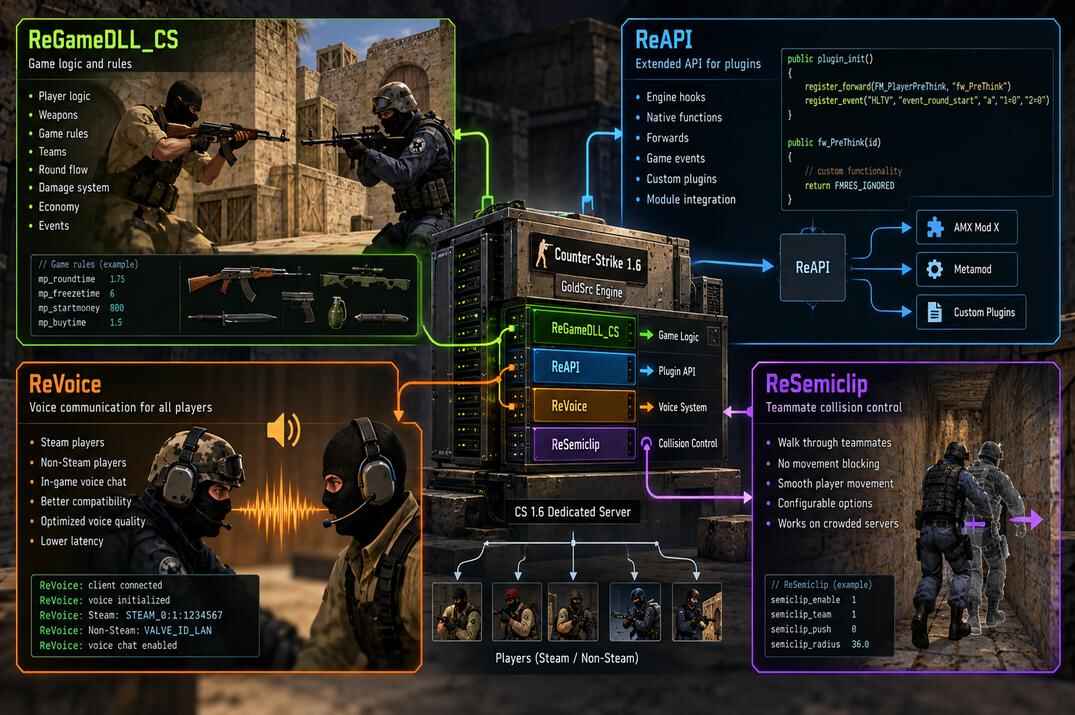
ReGameDLL_CS, ReAPI, ReVoice, ReSemiclip
The modules most servers end up running: the game library, the extended API, voice chat and passing through teammates.
open →