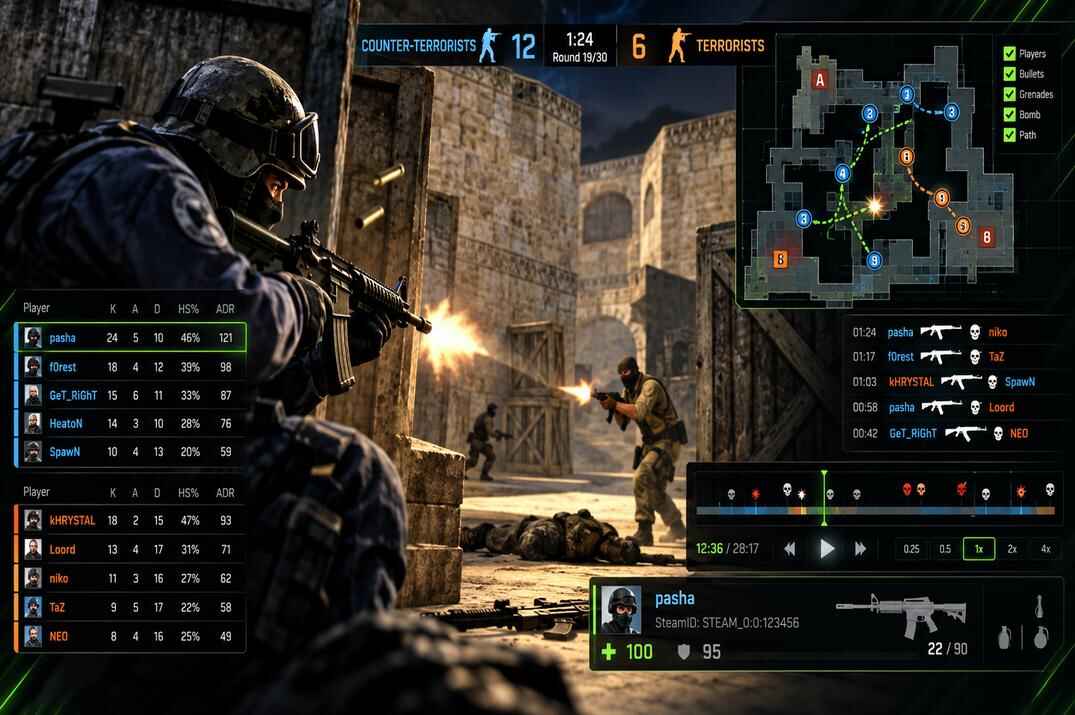
CS 1.6 demo analysis interface showing Dust2 gameplay, player statistics, kill feed, match scoreboard, SteamIDs, and tactical map replay

CS 1.6 Demo Analyzer

Open any CS 1.6 demo - HLTV or client - and get the scoreboard, rounds, kills, SteamIDs, chat and a 2D replay

Drop a .dem file below and the tool reads the match data out of it: who played, who killed whom and with what, how every round ended, what was said in chat, and each player's SteamID or ValveID, depending on the server's configuration. Player positions turn into a top-down map you can replay round by round.

It takes both kinds of demo. An HLTV demo and a demo recorded by a player are built differently, and the tool tells them apart by itself - you don't have to know which one you have. The file is read in your browser and never leaves your computer.

The Try a demo buttons under the drop area open the final of IEM Season VI Global Challenge Kiev, played on 22 January 2012: Na`Vi against SK Gaming, both maps, recorded by the tournament HLTV.

Drop a .dem file hereHLTV or client demo - the tool tells them apart itself

A .dem or a .zip / .gz with one inside, up to 150 MB. The demo is read right here in your browser and is never uploaded.

Try a demo

What the Demo Analyzer Shows

Every block of the result, top to bottom

A demo is not a video. It is a recording of what the server told the game, packet by packet: who connected, where every player stood, who died, what was typed in chat. The tool reads those packets the same way the game does when you type playdemo, only it writes the result down instead of drawing it. A 25-minute HLTV demo takes about a second.

Top-down map of de_train drawn from player positions in a CS 1.6 HLTV demo, with every death marked by a blue CT or orange T cross
A full map of de_train from one HLTV demo: no map picture, just where 49 players walked for 25 minutes. Crosses are deaths - blue for CT, orange for T
Demo card
Server name, map and the final score split between CT and T. The badges say what kind of demo it is (HLTV or Client), whether the recording starts with the map or somewhere in the middle, and whether the server runs a current CS 1.6 build that sends extended kill info. Copy SteamIDs copies every player with their IDs, Save JSON gives you the whole result as a file.
Tiles
Demo length, rounds, kills, headshot share and how many players came through. On bomb maps you also get the number of plants, on others the average ping. For a client demo there is the recorder's FPS.
Scoreboard
Kills, deaths, assists, headshot share, K/D and average ping, split by team. Players who left or sat in spectators get their own group. Team kills are shown as a tag and don't count as kills. Click a player and the kill feed and the map show only them.
Tournament demos
A match demo is full of rounds that don't count: warm-up, the knife round, the break between halves, a round played after the win. The tool finds where the match goes live by the "live on 3" restarts of the match plugin, counts only the live rounds and shows the score by team - Na`Vi 16 : 3 SK, not "CT 5 : T 0". Teams are named by their clan tags, and each one is marked with the side it started on.
Rounds
A strip of coloured squares - one per round, blue for CT, orange for T - and the list under it: how the round ended (bomb defused, time ran out, hostages not rescued...), the score after it and how long it took. A C4 mark means the bomb was planted but the round ended some other way. Click a round to watch it on the map.
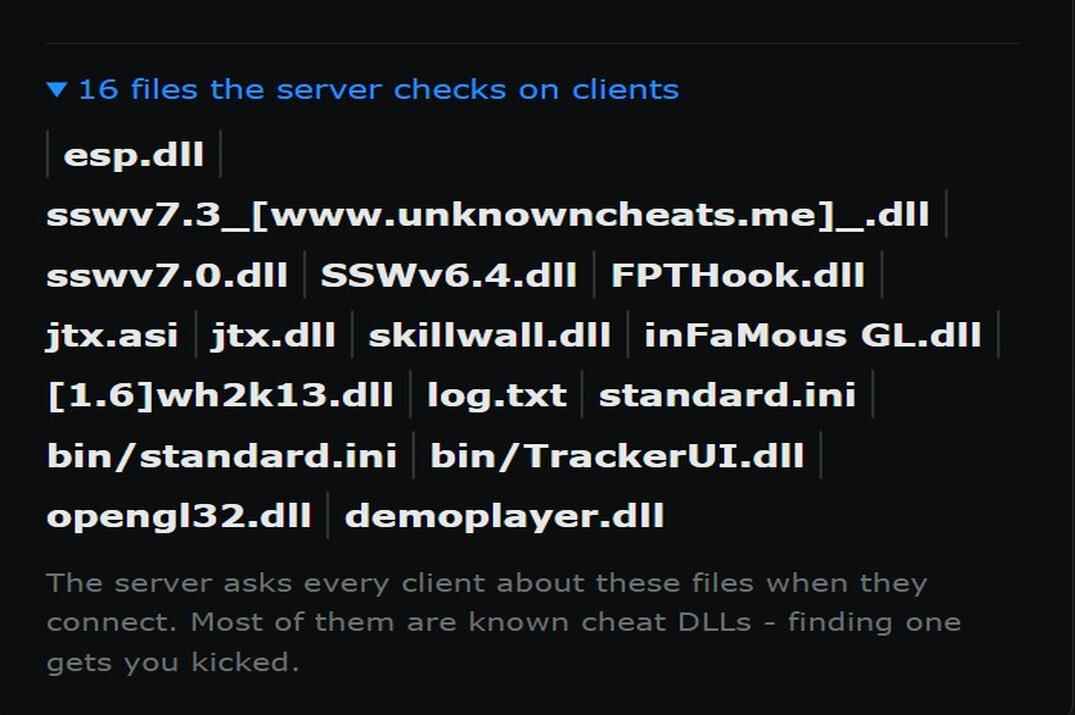
CS 1.6 Demo Analyzer showing server file consistency checks, including cheat DLL filenames detected in the demo data
List of files the CS 1.6 server checks on connecting clients, extracted from an HLTV demo
Details
Demo type, engine build, protocol, max players, the server's gravity, max speed and air accelerate, FastDL address and the next maps from the map cycle when the demo has them. At the bottom - files the server checks on clients. These are names the server asks every player about when they join, and most of them are known cheat DLLs.
Recorded by
Client demos only. Who recorded it, their frame rate across the whole demo and how many times they pressed attack, jump, duck, reload, looked at the scoreboard. A client demo keeps every key the recorder pressed.
Map and replay
There are no map pictures behind it. The map is drawn by the players themselves - every spot anyone stood in is a faint dot, and after a full HLTV demo the corridors and sites come out on their own. All rounds shows where everyone died. Pick a round and press Play to watch it from above at 1x to 16x, or drag the slider.
Kill feed
Every kill with the round time, weapon, headshot and assist. On current builds you also see wallbang, no-scope, through smoke, in air, blind and revenge - the server sends these flags itself, the tool doesn't guess them.
Players and SteamIDs
Everyone who was on the server, with SteamID64, the STEAM_0:X:Y form that server admins use for bans, a link to the Steam profile and time on the server. Steam and non-Steam players are marked, and so are names that come from the same game install - more on that in SteamIDs in a Demo. Check bans asks Steam about every Steam account in the list at once - see Checking Bans.
Chat
All chat, team chat and dead chat, plus messages from server plugins. A switch adds joins, leaves and team changes. The filter searches names and text.
Archives work too. A .zip with a demo inside or a .gz opens straight away, the browser unpacks it. HLTV demos pack about four times smaller, so most servers post them zipped anyway.

HLTV Demo vs Client Demo

Same file format, different view of the match

Both are .dem files and both start with HLDEMO. The difference is who was recording. A client demo is written by a player's game after they type record. An HLTV demo is written by an HLTV proxy - a spectator slot the server feeds with everything that happens, so viewers can watch the match.

The tool checks this itself. An HLTV demo begins with a special message that says the recording comes from a proxy, and the server sends the proxy slightly different data - for example, no personal HP and ammo block, because a proxy has no body. You'll see HLTV demo or Client demo on the card.

What Each Demo Type Contains

Data Client demo HLTV demo
Recording starts When the player types record, often mid-map Usually with the map, so the whole match is there
Player positions Only players the recorder could see. On my test demo about 4 of 10 alive players at a time All alive players, the whole time
Position updates As often as the recorder's cl_updaterate, up to 100 a second 20 a second on most proxies
Kills, rounds, score Yes Yes
Chat All of it, including team chat of the dead Everything except dead players' team chat
SteamIDs Correct for everyone who was there when recording started. Late joiners can get a fake ID on some servers Correct for everyone in my tests
Players' money Teammates' money, on current builds No - the server sends the proxy -1 for everyone
Recorder's keys and FPS Yes No recorder
Voice chat Yes Depends on proxy settings

Both demos run on the same server clock. I checked a client demo and an HLTV demo of the same match on cs_italy: all 50 kills and every round end matched to a hundredth of a second. So if you have both, you can trust either for the facts and use the HLTV one for the map.

Which One to Use

  • Reporting a player - HLTV, if the server records one. Nobody can say you only showed the part that suits you, and every player's position is in it.
  • Your own game - a client demo. It has your FPS and your keys, and you don't depend on the server.
  • Getting someone's SteamID - either, but in a client demo trust the ID only for players who were already on the server when you started recording.

SteamIDs in a CS 1.6 Demo

Where they come from and when not to trust them

Every time someone joins or changes something, the server sends their userinfo - a line with the name, model, rates and a *sid key that holds the SteamID64. The demo records these lines, so the IDs are in the file even if the player renamed himself or closed his profile later.

Steam and Non-Steam IDs

A real Steam account has a SteamID64 that starts with 7656119. The tool converts it to STEAM_0:X:Y, the form you see in status and in ban lists, and links to the profile.

Many CS 1.6 servers run Reunion and let non-Steam clients in. Those players get an ID from the server, and in the demo it looks like 85568398070745068. It is a stable ID on that server, but there is no Steam profile behind it - the tool marks it Non-Steam and doesn't link anywhere.

The Client Demo Glitch

While testing I found something worth knowing. In a client demo, the IDs in the snapshot at the start of the recording were all correct. But players who joined later got userinfo with one and the same SteamID handed to 13 different people, bots included. The HLTV demo of the same match had the right ID for each of them.

The tool handles it: in a client demo it takes IDs from the starting snapshot, and if a later ID is shared by players with different game installs, it is marked Not shown instead of showing a wrong one.

Same Game Install

Along with userinfo the server sends a short hash of the player's game install. It stays the same when someone reconnects or changes their name. When two different SteamIDs share one hash, it usually means one person with two accounts - on my test demos it linked a Steam and a non-Steam account that looked like the same player. The tool shows it as "Same game install as". Treat it as a hint: a shared PC in an internet cafe gives the same picture.

For more about the ID formats see the Steam ID guide, and to look up a profile, paste the ID into the SteamIDs Lookup.

Checking Player Bans in a Demo

VAC, game and trade bans and account age, for the whole server at once

Under Players and SteamIDs there is a Check bans button. One press and the tool asks Steam about every Steam account in the demo - a full server takes a second or two. Next to each name you get:

  • VAC and Game ban with the number of bans and how long ago the last one was. Banned players also get a red mark in the scoreboard.
  • Community ban and Trade ban or Trade probation, if Steam has them.
  • Account age. Accounts younger than three months are marked New account. For older ones you see the year. Private profiles hide this date, and the tool says so.
  • Steam name, when it differs from the name in the game.

Two things to keep in mind. Steam gives the date of the last ban, not of the demo - a ban from 2019 says nothing about a match from last night. Steam reports VAC bans for the whole account, including bans from other games. A VAC ban shown here doesn't necessarily involve CS 1.6. Read it as history of the account, not as a verdict on this match.

Non-Steam players can't be checked, their IDs come from the server, not from Steam. Only the list of SteamIDs goes to my site for this, the demo itself stays in your browser. Answers are kept for six hours, so pressing the button again doesn't ask Steam twice.

Every Steam player also has an All formats button. It opens the SteamIDs Finder with the ID already in it: SteamID3, AccountID, HEX and the profile links.

How to Record a Demo in CS 1.6

Client demo from the console, HLTV demo from a proxy

Client Demo

  • Start. Open the console and type record mydemo. Recording begins at once. Any name works, no spaces.
  • Stop. Type stop. The demo is also closed when you disconnect.
  • Watch. playdemo mydemo plays it back, viewdemo mydemo adds a panel with pause and speed.
  • One bind. bind F9 "record mydemo" and bind F10 "stop" - handy when something happens and you have no time for the console.

A new record with the same name overwrites the old file without asking. If the demo matters, rename it right after the game or use a new name every time.

HLTV Demo

An HLTV demo needs an HLTV proxy connected to the server - hltv.exe on Windows or hltv on Linux, both come with the dedicated server. In the proxy console:

connect 1.2.3.4:27015
record hltv

The proxy adds the date and the map to the name, so you get files like hltv-2610210154-de_train.dem - 26-10-21, 01:54, de_train - and a new one for every map. stoprecording stops it. If a server runs an HLTV relay, the CS 1.6 Server Info shows its port in Details.

Where to Find CS 1.6 Demo Files

The folder on your PC and what to do with big files

  • Steam CS 1.6. Steam\steamapps\common\Half-Life\cstrike\ - the demo lies next to config.cfg. In Steam: right-click Counter-Strike โ†’ Manage โ†’ Browse local files, then open cstrike.
  • Non-Steam builds. The cstrike folder inside the game folder, same place.
  • HLTV. The cstrike folder of the server the proxy runs from - the one next to hltv.exe.

An HLTV demo grows by about 0.8 MB a minute on a full server, so a 20-minute map is 15-20 MB. A client demo is much bigger, 3-4 MB a minute at cl_updaterate 100, because the recorder gets updates five times more often. The tool takes up to 150 MB. To send a demo to someone, zip it first - it shrinks about four times.

Demos for Player Reports

What admins look for and how the tool helps

When you report someone on a server forum, the demo is the evidence. Before you post it, open it here:

  • The right person. Copy the player ID from Players and SteamIDs. Names change in a second, the ID doesn't. Admins ban by SteamID or ValveID or/and IP, depending on the server's configuration.
  • The right rounds. Find the rounds you want the admin to watch in the kill feed - click the player in the scoreboard and only their kills stay. Write the round numbers and times in the report.
  • The numbers. A headshot share way above everyone else, kills through walls round after round - the kill feed shows it at a glance. It's not proof on its own, but it tells the admin where to look.

The tool doesn't say "cheater" or "clean" and doesn't try to. A demo has to be watched - the analyzer only saves the admin from watching all 25 minutes to find the two rounds that matter.

Demo Analyzer Limitations

What the demo doesn't have and what the tool doesn't read

  • CS 1.6 on protocol 48. That includes modern Steam builds and compatible Non-Steam builds. Old WON-era demos use another format. CS2 and CS:GO demos are a different engine - for CS2 there is the CS2 SteamID Extractor.
  • No damage numbers. The game sends each player only the damage they took, not who dealt how much to whom. Some servers print damage reports through plugins, those land in chat.
  • Assists and kill flags - wallbang, no-scope, smoke and the rest - come only from servers on a current CS 1.6 build. On older servers you get kills, headshots and weapons.
  • Holes in client demos. Positions exist only for players the recorder could see. That's how the game saves bandwidth, the data was never sent.
  • Broken demos are read up to the point where they break. A demo from a game that crashed has no proper ending, and the card says so.
  • Up to 150 MB per file after unpacking. That's about three hours of HLTV or 40 minutes of a client demo on a full server.
  • Bots are listed but not counted in the scoreboard.

CS 1.6 Demo Analyzer FAQ

Short answers

A glowing FAQ sign on a futuristic holographic panel surrounded by floating question marks
Is my demo uploaded anywhere?

No. The only thing the page downloads is the script that reads demos, and that script works on the file inside your browser. The demo itself is not sent to my server or anyone else's - open the network tab in the browser's developer tools and see for yourself. The one exception is Check bans: when you press it, the list of SteamIDs (and nothing else) goes to the site so it can ask Steam.

How does the tool know if it's an HLTV demo?

An HLTV proxy gets a special message from the server when it connects, and that message is recorded at the start of the demo. If it's there, it's HLTV. The data that follows is also different - a proxy gets no personal HP or ammo block.

Why do some players show "Not shown" instead of a SteamID?

That happens in client demos. Some servers send a wrong ID for players who join after the recording started, the same one for many people. Rather than show you a wrong ID, the tool hides it. An HLTV demo of the same match has the real one.

Why does a player ID start with 8556 and have no Steam profile?

That's a non-Steam player. Servers with Reunion give non-Steam clients their own ID. It stays the same for that player on that server, so admins can still ban it, but there's no Steam account behind it.

Why does the map have holes?

In a client demo the server only sent the players the recorder could see. In an HLTV demo the map is full, but parts nobody walked through stay dark - the tool draws only where players actually stood.

Does it work with old tournament demos?

Yes, any CS 1.6 demo on protocol 48. The Try a demo buttons open the IEM Kiev final from January 2012, and the tool gets the official result out of it on its own: Na`Vi won 16:3 on Inferno and 16:5 on Train. Old servers didn't send assists or wallbang flags, so those columns stay empty for such demos.

A player has a VAC ban. Was he cheating in this match?

Not necessarily. Steam shows bans on the account, the date of the last one and nothing about where it came from. Look at "last ... ago": if the ban is older than the demo, it doesn't prove anything about cheating in that game. It's a reason to watch his rounds closer, not proof.

What does "Same game install" mean?

Two names with different IDs share the hash of their game install. Most of the time it's one person with two accounts. It can also be two people on the same PC, so it's a hint, not proof.

Can it tell if someone is cheating?

No, and it doesn't try. It shows the numbers and the positions, which helps to find the rounds worth watching. To judge, you still watch the demo in the game with viewdemo.

My demo is in a .zip or .rar. Will it open?

.zip and .gz open directly. A .rar or .7z has to be unpacked first - this tool doesn't support those formats.

Does it work with CS2 or CS:GO demos?

No, those use a different engine. For CS2 use the CS2 SteamID Extractor. If you drop a CS2 demo here, the tool will send you there.

The scoreboard doesn't match the server's scoreboard. Why?

If the recording started in the middle of the map, the tool counts only the kills inside the demo. The server counts from the start of the map. The card shows "Started mid-map" in that case.

Leave a Reply

Your email address will not be published. Required fields are marked *