What is a Legal Wallhack in CS2?
In Counter-Strike 2, a legal wallhack means using built-in console commands that allow you to see players through walls without installing external cheats or risking a VAC ban. These CS2 wallhack commands are part of the developer tools and are commonly used for training, practice, and testing.
The first option is cl_ent_bbox *, which draws wireframe boxes around all entities such as players, weapons, grenades, and more. It works, but the screen quickly becomes cluttered, making it feel more like a debug environment than actual gameplay.
A more practical method is cl_player_proximity_debug 1. This command displays a numeric indicator on the enemy players’ legs - and the numbers remain visible even through walls. While it doesn’t outline the full model, it provides a clear and lightweight overlay that makes it easy to follow movement and analyze rotations.
Between the two, cl_player_proximity_debug 1 is the most useful. It shows proximity information without visual noise, making it ideal for studying map control, practicing timings, or tracking opponents during training sessions.
Both commands require sv_cheats 1 enabled, which limits them to offline matches, custom lobbies, or private servers. Since they are official developer tools, they are safe to use and do not trigger VAC bans.
Why Use Legal Wallhack Commands in CS2?
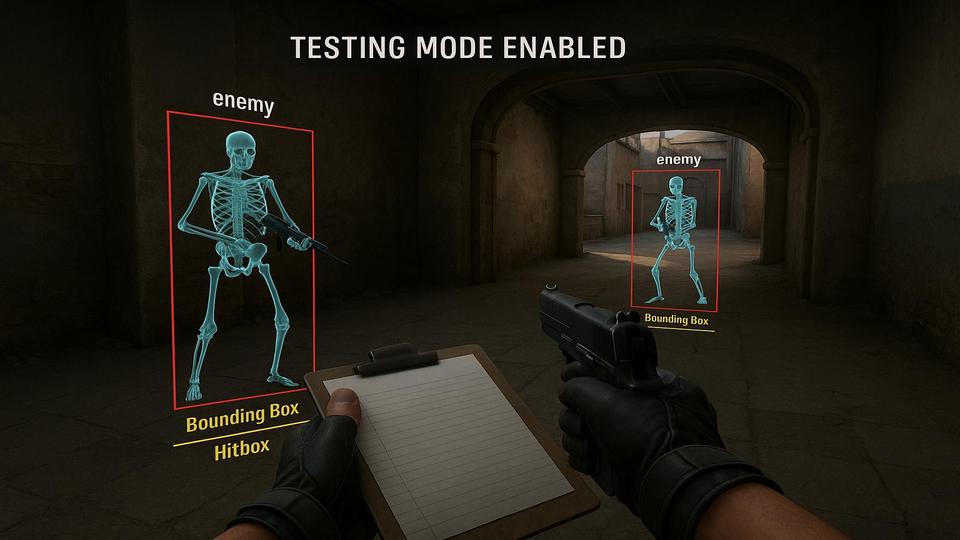
Legal wallhacks in CS2 are not about cheating - they are about training and exploring the game in ways that normal matches don’t allow. Using these commands you can:
- Visualize enemy movement behind walls and understand rotations.
- Practice utility lineups and perfect grenade timings.
- Study footsteps and proximity ranges to improve sound-based awareness.
- Test setups, off-angles, and map control strategies in a controlled environment.
- Record content or create custom training modes with friends.
For players who want to improve game sense or analyze maps in detail, legal wallhacks are a safe tool that provide insight into the hidden layer of CS2 mechanics.
What You Need to Use Legal Wallhack Commands in CS2
The good news is that you don’t need any third-party programs or shady hacks to enable a legal wallhack in CS2. Everything you need is already built into the game.
Start by launching a local match - either offline with bots or on a server you control. Make sure the developer console is enabled in your game settings. Once in the match, open the console and activate cheats with the command sv_cheats 1.
That’s all. No disabling Steam services, no risky downloads, no editing files or memory. These are official developer tools, created for testing and training, and they are completely safe to use.
Best CS2 Wallhack Commands
To activate a legal wallhack in Counter-Strike 2, you don’t need mods or third-party tools - everything is already built into the game. The developer console includes special commands that can make players and entities visible through walls for training and practice. Below are the two main CS2 wallhack commands you can use:
cl_ent_bbox- a command that shows wireframe boxes around all entities.cl_player_proximity_debug- a cleaner option that displays proximity numbers through walls.
Both require sv_cheats 1, which means they work only in offline, workshop, or private servers - but they’re safe, official, and perfect for learning map flow, timings, and strategies.
cl_ent_bbox CS2 command
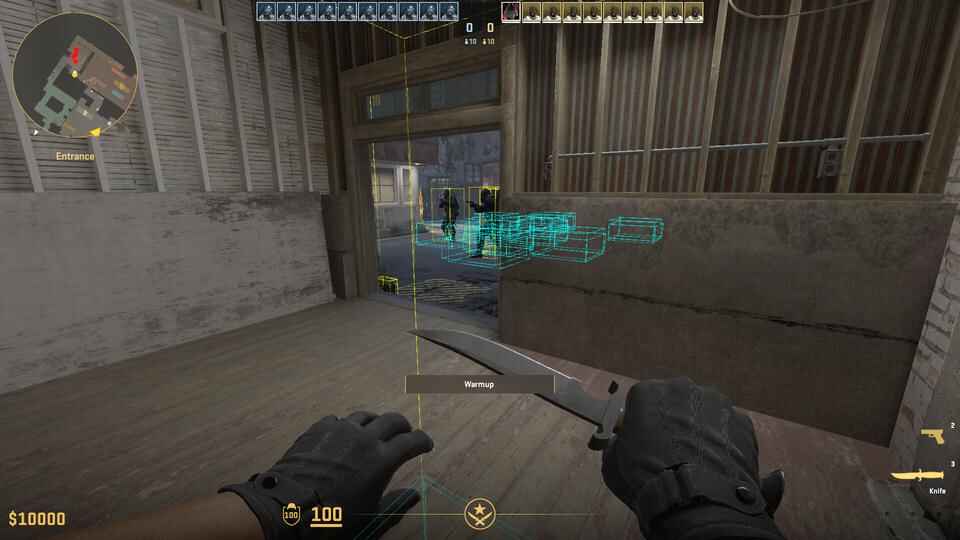
The cl_ent_bbox command draws bounding boxes around in-game entities. It’s a simple but powerful way to visualize players, weapons, and more items.
Syntax:
cl_ent_bbox                 // draws a box on the entity you're aiming at
cl_ent_bbox #               // draws a box on a specific entity (by index number)
cl_ent_bbox *               // draws boxes on all current entities
cl_ent_clear_debug_overlays // removes all overlay boxes
When used, this command creates orange or blue wireframe boxes that wrap around each selected object. These boxes move with the entity in real time, making it easier to track positions even through smoke or thin cover. Re-entering cl_ent_bbox * removes boxes.
If you want to highlight a single entity - like a bot, a dropped weapon, or even a chicken - just aim your crosshair at it and type cl_ent_bbox in the console. A bounding box will appear immediately.
To dig deeper, you can enable developer mode to access additional info. There are two ways to do this in CS2:
- Add
-devto your game’s launch options - Or type
developer 1into the console once you’re in-game
Once developer mode is active, executing cl_ent_bbox will print extra details in the console - including the entity’s index number and class name (like class='C_CSPlayerPawn',
index='482').
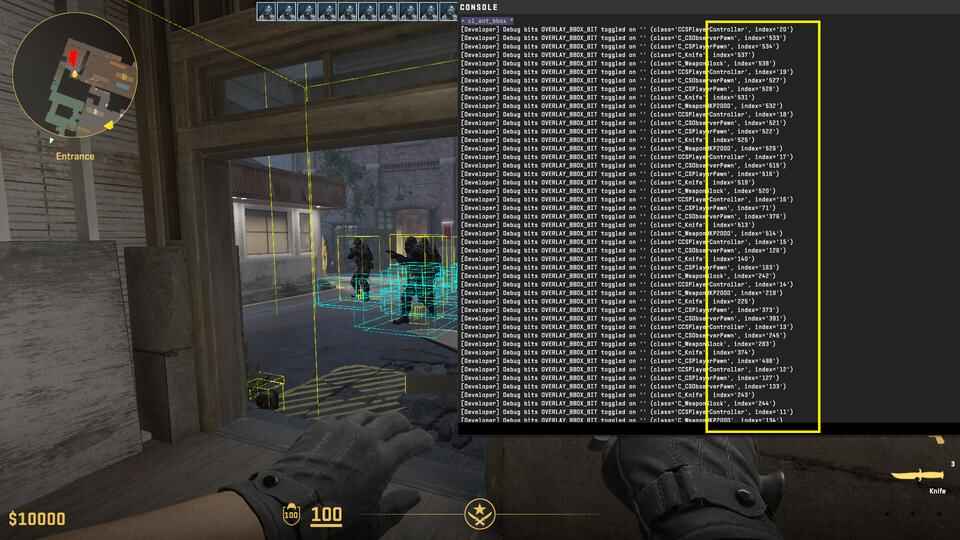
With that information, you can then run cl_ent_bbox 634, and it’ll apply the bounding box specifically to that entity. If you want to see everything at once, run cl_ent_bbox *, and the console will list all active entities along with their class names and index numbers. To remove the boxes use cl_ent_clear_debug_overlays.
This makes it much easier to identify what’s on the map and target exactly what you want to track.
cl_player_proximity_debug CS2 command
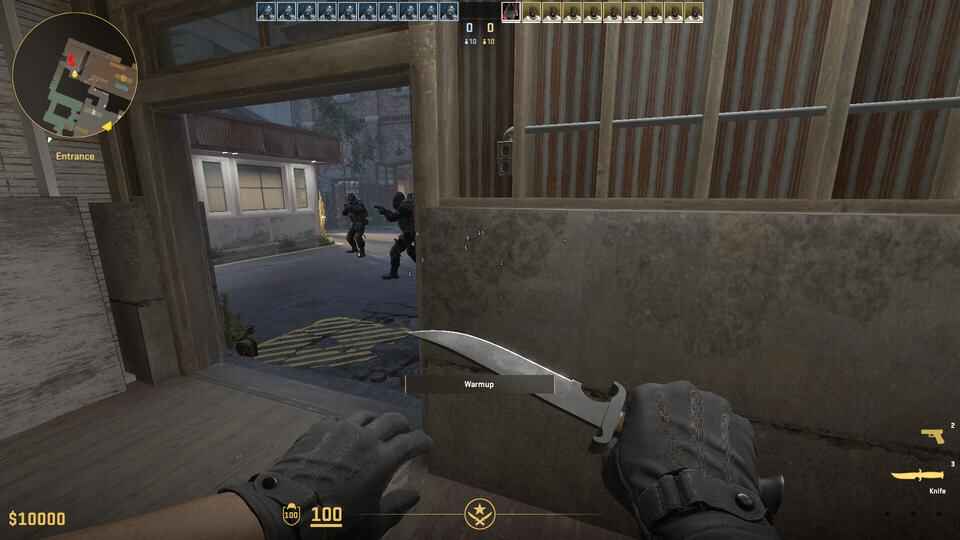
If you’re looking for a wallhack-like effect in CS2 without cluttering your screen, this is the command you want.
The cl_player_proximity_debug command displays debug information when players are near each other. Specifically, it draws small numeric indicators above enemy players when they’re within a certain range - and the numbers remain visible even through walls. This can be incredibly useful for visualizing encounters, understanding sound cues, or spotting when multiple players are grouped together.
cl_player_proximity_debug 1   // enable
cl_player_proximity_debug 0   // disable
Unlike cl_ent_bbox, this command doesn’t overwhelm your screen with wireframes or developer overlays. It’s clean, simple, and surprisingly close to what a real wallhack feels like - without using any external software.
The numbers typically appear around the lower body (near the legs) and update in real time as players move. As you track opponents across the map, practice timing, or analyze rotations, this command gives you instant visual feedback with minimal distraction.


Thanks to how lightweight and easy it is to toggle, cl_player_proximity_debug 1 is by far the most practical option for casual use, training sessions, or just having fun on a private server.
CS2 Wallhack Commands FAQ

Can I use legal wallhack commands in official matchmaking?
Yes! Surprised by the answer? =) The truth is, no one has ever forbidden you from using console commands in CS2. So yes, you can absolutely type this command - nothing stops you. But the real question is: will it actually work? And here the answer flips to No. These wallhack commands only function if cheat mode is enabled with sv_cheats 1. On official CS2 servers this setting is permanently disabled, so all you’ll see in the console is a message telling you that cheats need to be turned on -
and that’s it.
Will I get banned by VAC for using cl_ent_bbox or cl_player_proximity_debug?
No worries here. These are official developer tools built into CS2. You can use them freely on your own server, in offline mode, or on workshop maps. VAC doesn’t care - because you’re not running third-party hacks, just console commands.
What about r_drawothermodels 2? Does it work in CS2?
Nope. Forget about it. That command belonged to the old Source engine and simply doesn’t exist in Source 2. If you see someone online recommending it for CS2 - that’s outdated info or plain nonsense.
Which command is better: cl_ent_bbox or cl_player_proximity_debug?
Both have their uses. cl_ent_bbox shows full wireframe boxes around every entity, which is great for testing but clutters your screen. cl_player_proximity_debug 1 is much cleaner - just small numbers near the legs, visible even through walls. If you want a wallhack-like training tool, the second one wins hands down.
Can I use these commands on community servers?
Technically yes - if the admin has enabled sv_cheats 1. In practice? Almost never. Community servers usually have cheats off,just like official ones.
How can legal wallhacks actually help me?
They’re great for training. You can study how players rotate on maps, practice grenade timings, check your utility lineups, and understand how sound and proximity work. Basically, you see the "hidden layer" of CS2 mechanics.
Do I need to download any programs or change game files?
Nope. Everything is already in CS2. You only need the developer console turned on and a match where you can run sv_cheats 1. That’s it - no shady downloads, no risk.
Can I bind these commands to a key?
Yes - and that’s the smart way to do it. You can set up toggle binds or add them into your autoexec.cfg. Don’t want to bother writing them yourself? Just grab ready-made ones on Legal Wallhack Scripts in CS2 .
Are these commands useful for content creators?
Absolutely. If you record tutorials, want to show rotations, or explain strategies, these commands let you capture "wallhack view" footage without cheats. Great for YouTube guides or demo analysis.